At StreamNative, we’re building toward a future where agentic AI systems can natively reason over, interact with, and operate real-time data infrastructure—safely, securely, and at scale.
As part of this journey, we introduced Agentic AI capabilities last year with the launch of our Local MCP Server, enabling AI agents to interact with StreamNative clusters through a standardized Model Context Protocol (MCP) interface.
Today, we’re taking the next step: the Public Preview of the StreamNative Remote MCP Server is now available out of the box in StreamNative Cloud.
What Is the StreamNative Remote MCP Server?
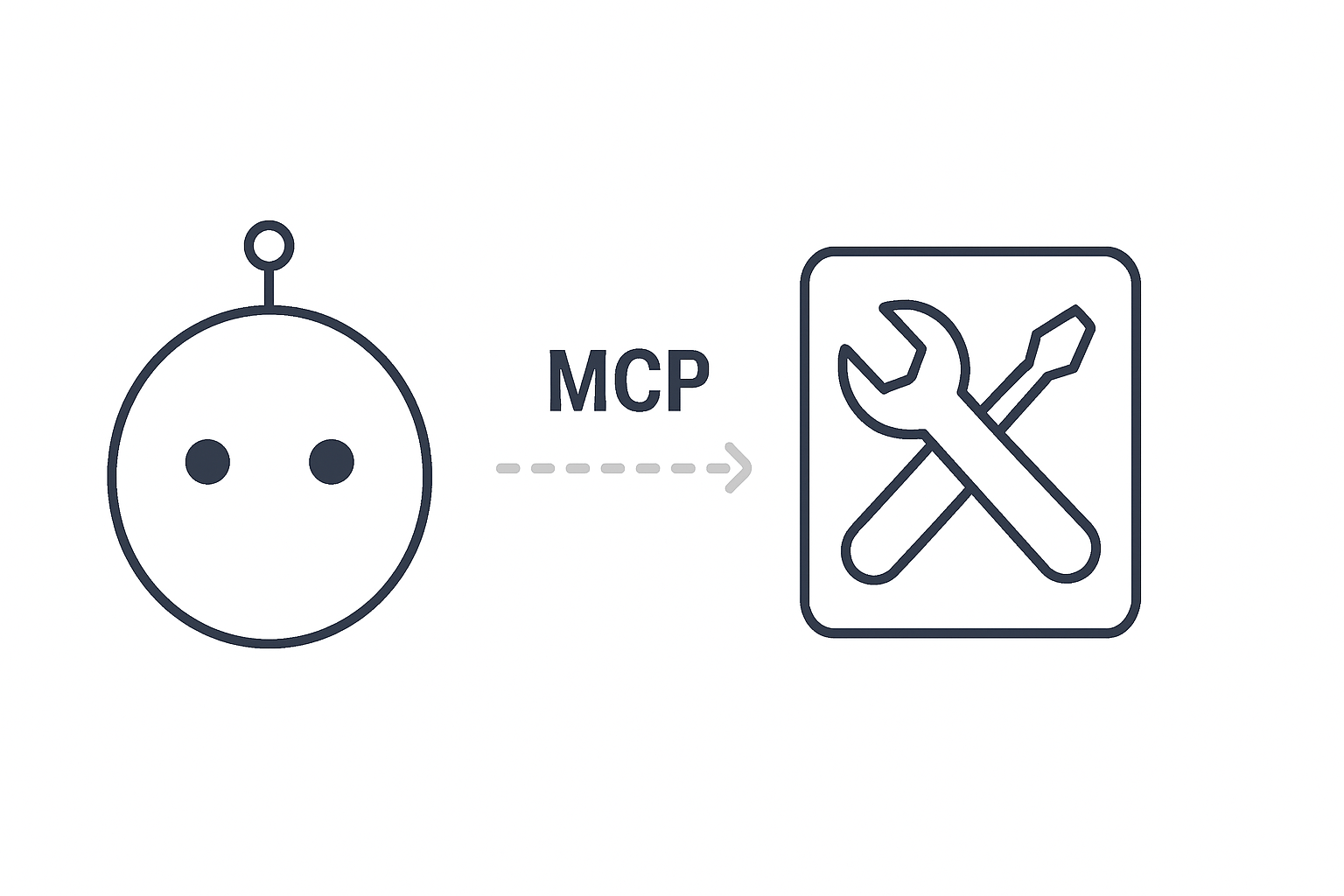
The Remote MCP Server exposes a secure, hosted MCP endpoint that allows AI agents and tools to interact with StreamNative clusters without requiring a locally deployed MCP process.
- Local MCP Server: Runs alongside your tooling or environment
- Remote MCP Server: Fully managed by StreamNative and accessible remotely via StreamNative Cloud
This dramatically lowers the barrier to integrating AI agents, copilots, and automation frameworks with StreamNative’s data streaming platform.
Managing Preview Features in StreamNative Cloud
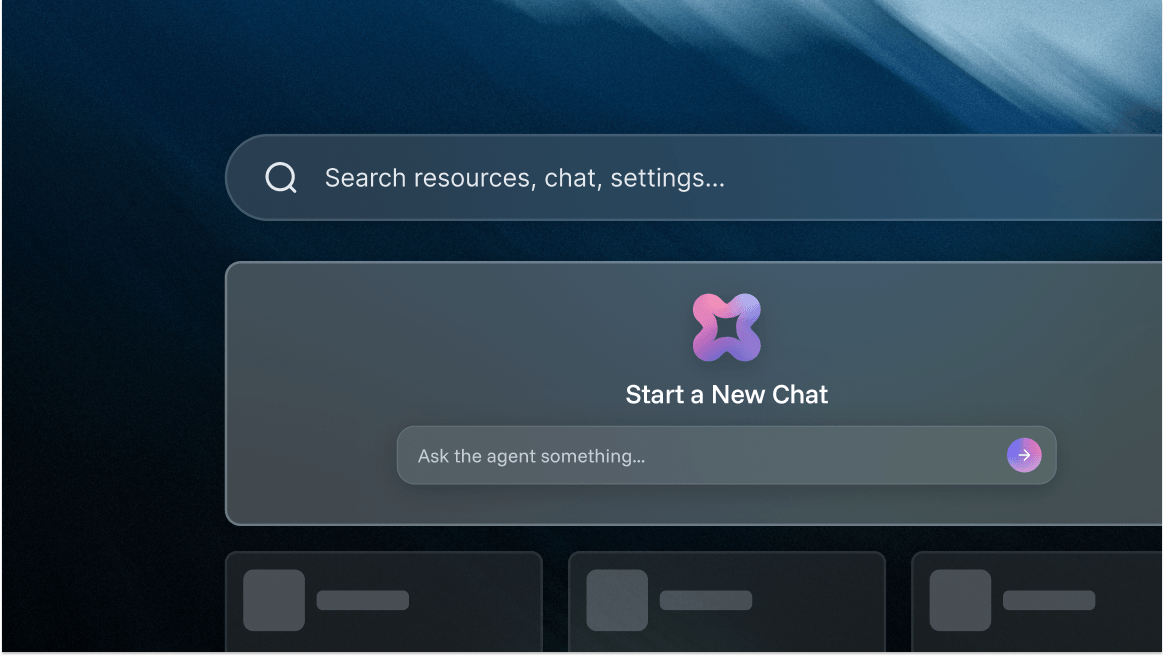
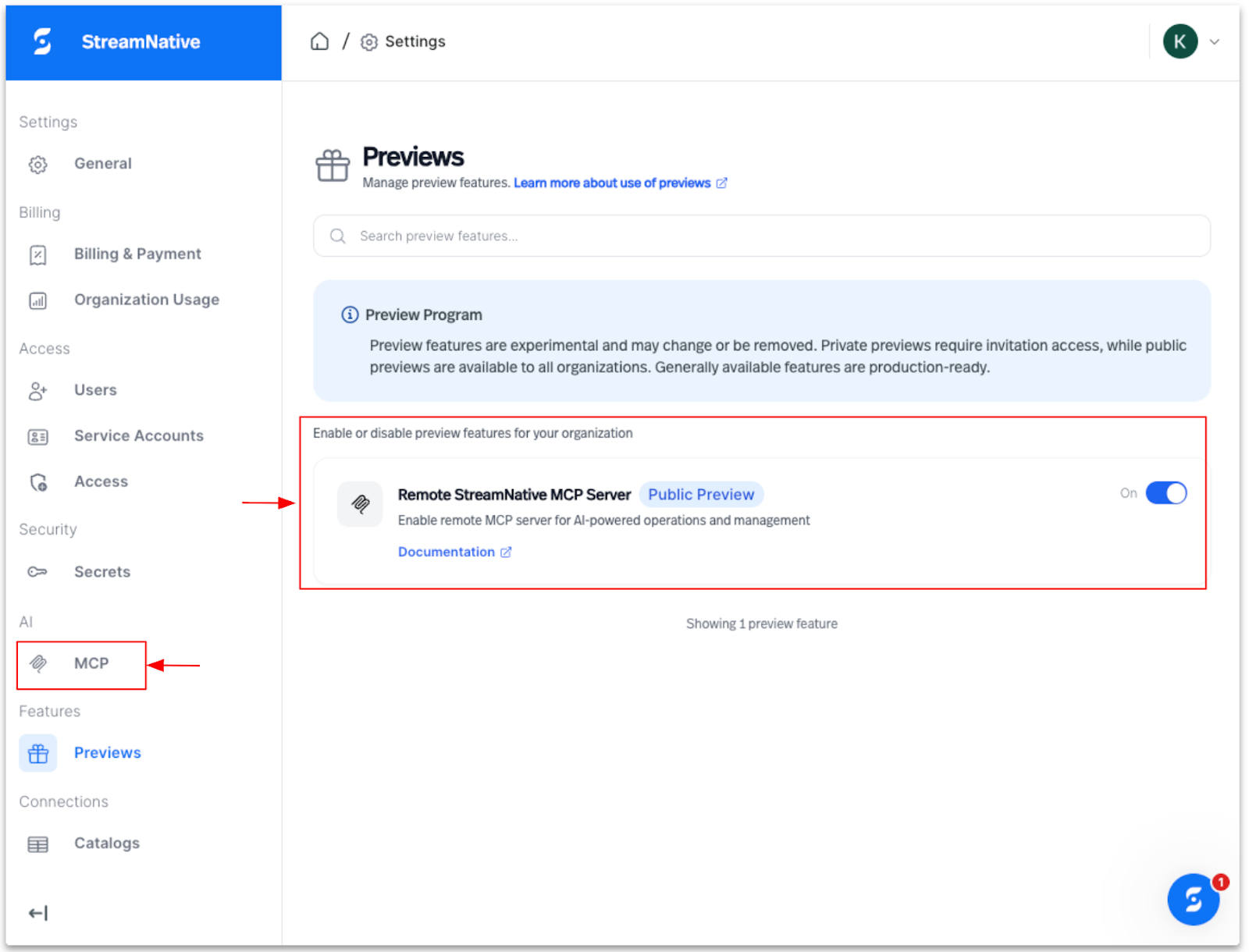
We’ve introduced a new Preview Features section in StreamNative Cloud that gives users a simple, self-serve way to discover, enable, or disable preview capabilities directly from the console. This makes it easier to try new features at your own pace while maintaining control over what’s active in each environment. The screenshot below highlights how the StreamNative Remote MCP Server can be enabled directly from the Previews section with a single toggle.
Connect Your AI Tools
Each StreamNative cluster exposes a Remote MCP endpoint along with a guided Connect Your AI Tool experience in the console. You can go from zero to connected in under a minute.
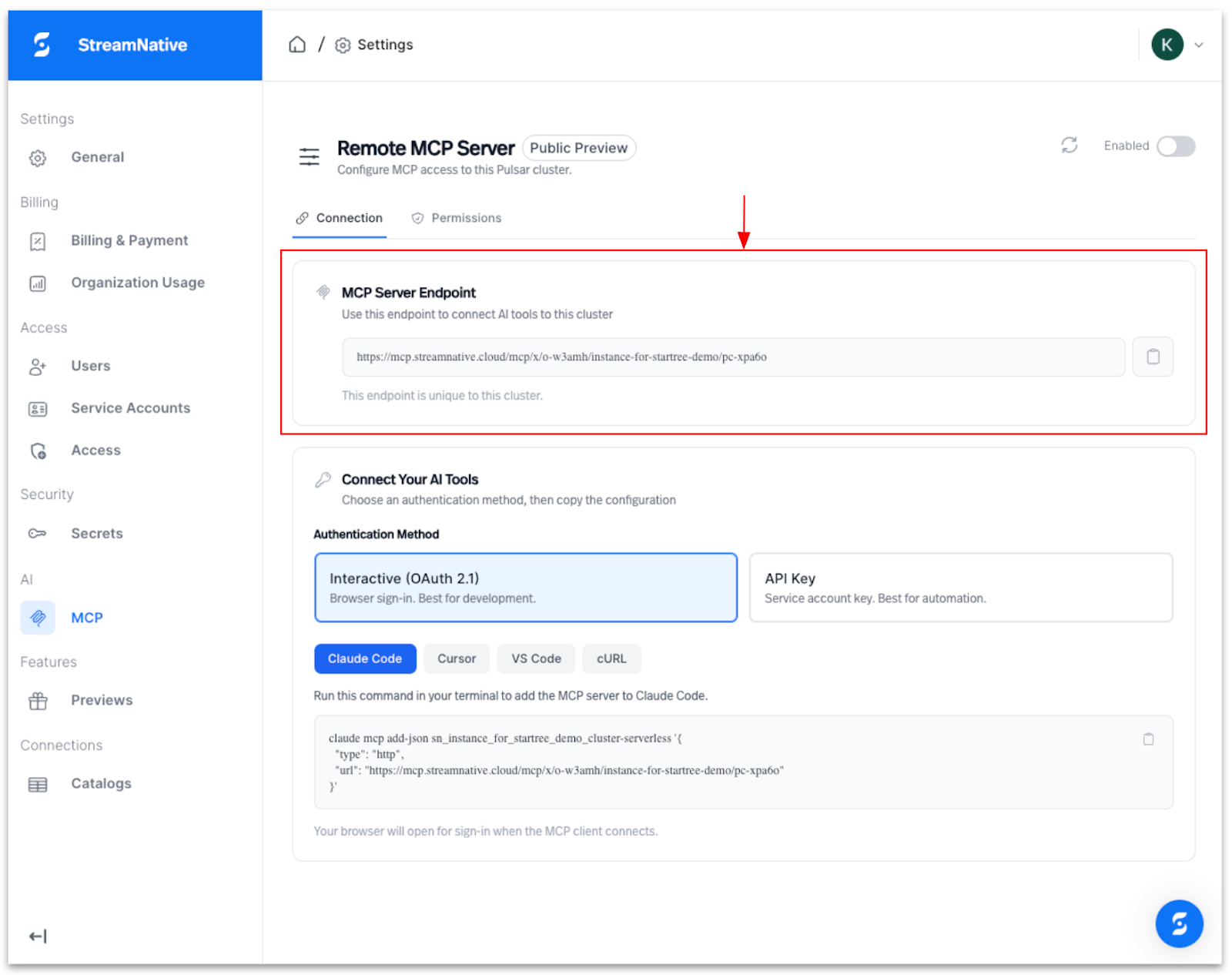
1. Choose an authentication method
- Interactive (OAuth 2.0) – Browser-based sign-in, best suited for development and experimentation
- API Key – Service account–based authentication, ideal for automation and non-interactive workflows
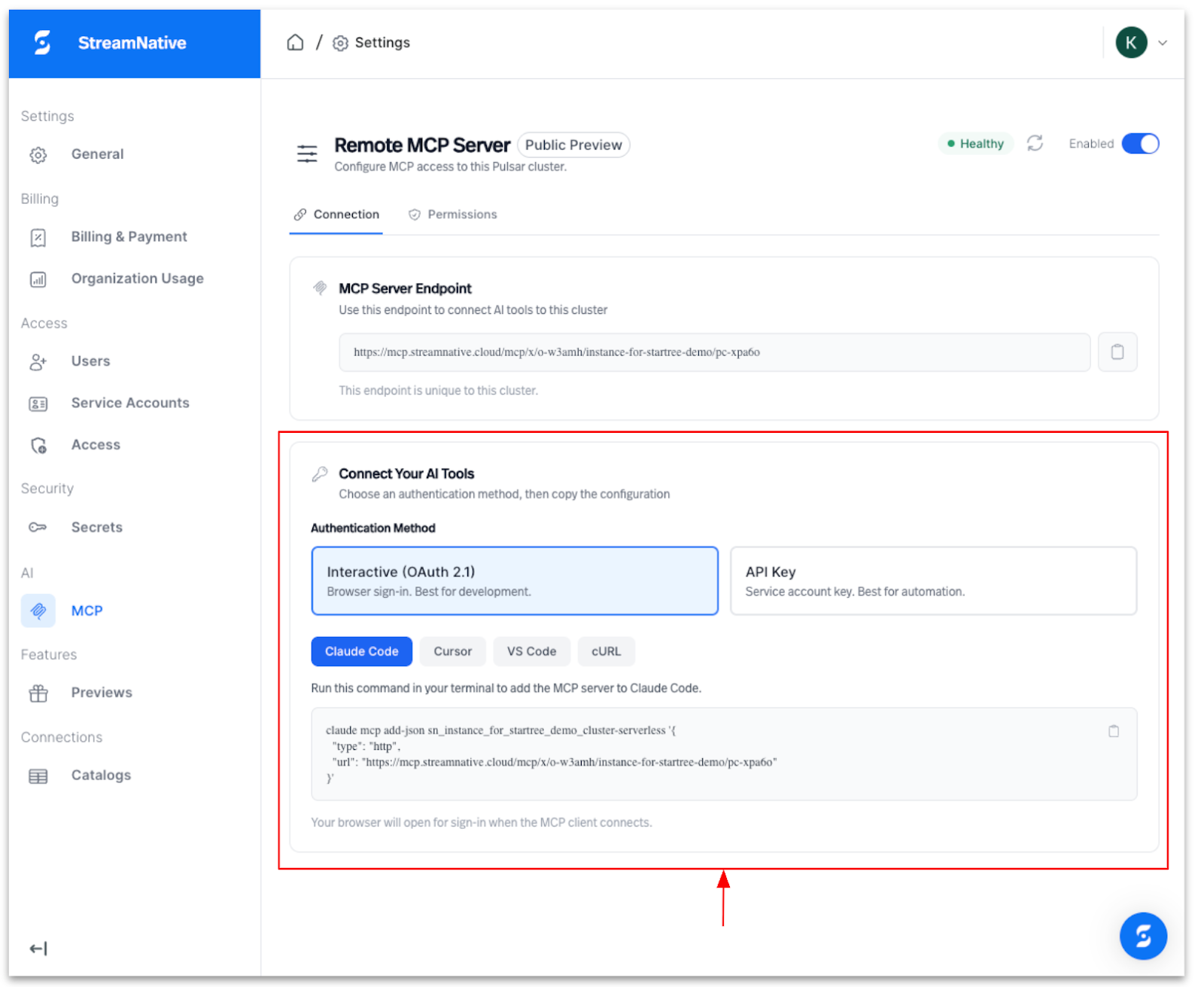
**2. Select your AI tool or environment ** StreamNative provides pre-generated commands for popular MCP-compatible tools, including:
- Claude Code
- Cursor
- VS Code
- cURL
**3. Copy and run the generated command **Based on your selected authentication method and tool, StreamNative generates a ready-to-run command that you can execute in your terminal to add the Remote MCP Server to your chosen environment.
Once connected, your AI tool can immediately start interacting with the StreamNative cluster through the MCP interface.
MCP Access & Tool Permissions
Access Mode defines how much control the Remote MCP Server has over the cluster. Read-Only allows MCP clients to safely view metadata, topics, messages, and metrics without making changes, while Read/Write enables full operational access, including creating and managing topics, producing messages, and updating schemas.
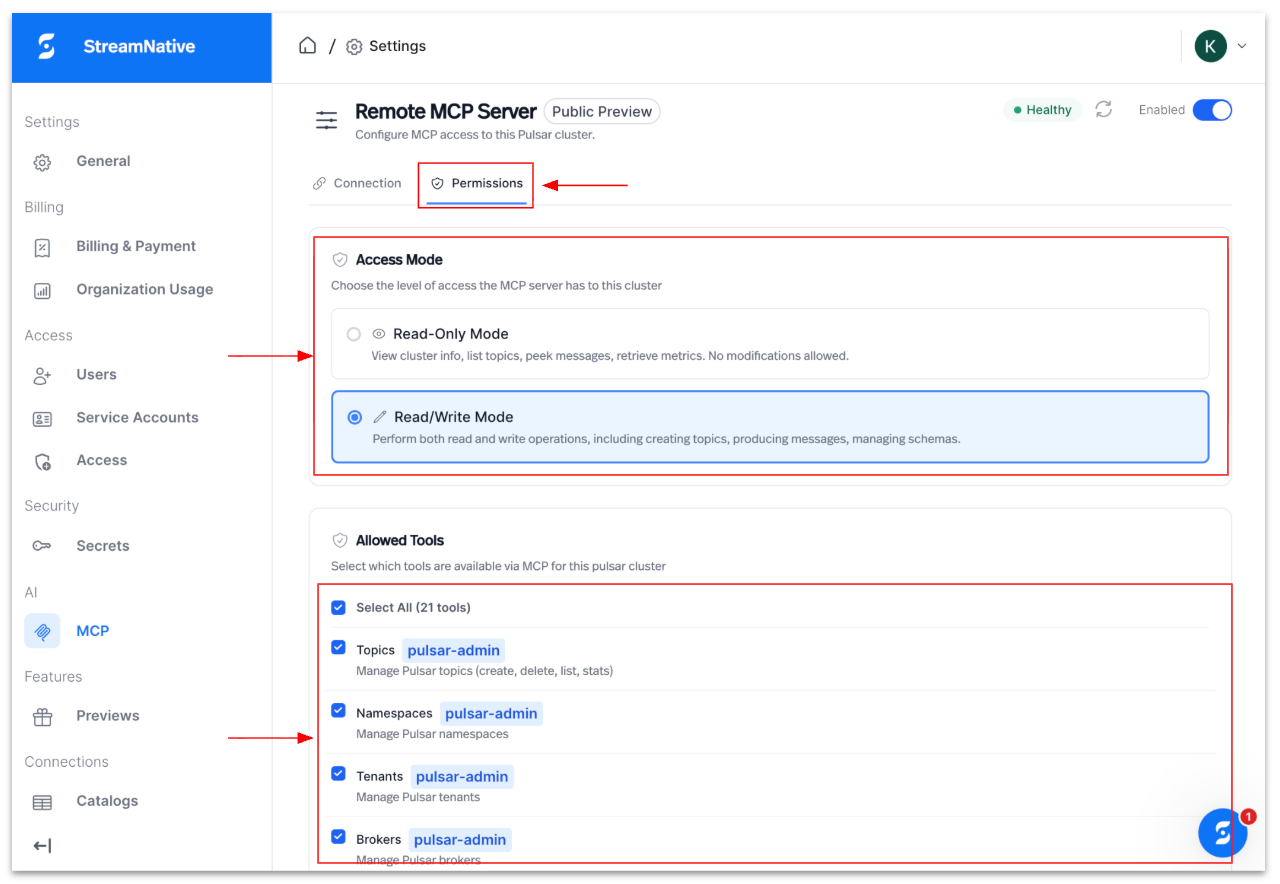
Allowed Tools lets you precisely scope what MCP clients can do by enabling or disabling specific MCP tools (for example, topics, namespaces, tenants, or brokers), ensuring least-privilege access while supporting targeted agent workflows.
What Can You Do With the Remote MCP Server?
The Remote MCP Server supports most of the same cluster-level capabilities available in the Local MCP Server, enabling AI agents to:
- Discover cluster metadata and configuration
- Inspect topics, subscriptions, and schemas
- Observe operational state and runtime details
- Interact with cluster resources using MCP-standard tools
***Example: ***Ask your AI assistant “What topics have consumer lag?” or “Show me the schema for my orders topic” and get an immediate, contextual answer—no CLI commands, no dashboard clicks.
These capabilities make it possible to build AI-driven workflows such as:
- Conversational cluster exploration and diagnostics
- Automated environment introspection for agents and copilots
- Intelligent operational assistants for streaming platforms
Cluster-Level Availability
In this Public Preview, the Remote MCP Server is exposed at the cluster level. Every StreamNative cluster—regardless of deployment type—provides its own MCP endpoint. Supported deployment models include Serverless, Dedicated, and BYOC (Bring Your Own Cloud).
Each cluster acts as a well-defined MCP boundary, making it easy for agents to reason about and interact with the specific streaming environment they’re targeting. Organization-level support with cross-cluster visibility is on the roadmap.
Current Limitations
To ensure safety and control during Public Preview, some destructive or high-risk operations are intentionally restricted, including actions such as:
- Deleting clusters
- Other privileged administrative operations
We’ll continue to evolve the supported surface area based on customer feedback and usage patterns.
Why This Matters for Agentic AI
Agentic systems need reliable, real-time context about the systems they operate on. With the Remote MCP Server:
- AI agents no longer need direct infrastructure access
- MCP endpoints are secure, managed, and standardized
- StreamNative Cloud becomes natively “AI-addressable” — meaning AI tools can discover and interact with your streaming infrastructure through a standard protocol, just like they would with any other API
This aligns with our broader vision of StreamNative as an AI-ready streaming platform, where real-time data, governance, and agentic workflows come together seamlessly.
What’s Coming Next
Looking ahead, we plan to extend Remote MCP Server support to the organization level, enabling:
- Cross-cluster visibility for agents
- Organization-wide governance and policy enforcement
- Listings on the Databricks MCP Marketplace, Docker MCP Catalog, and other marketplace directories
Get Started Today
The StreamNative Remote MCP Server is available now in Public Preview at no additional cost. Enable it from your StreamNative Cloud Console and connect your first AI tool in minutes.
**➤ **Watch the demo video for a quick start
➤ Enable it now in the StreamNative Cloud Console
**➤ **Read the documentation for a full walkthrough
➤ Explore the open-source MCP server on GitHub
🎙️ Want to see it in action?
Join us on February 26 for a live webinar where we’ll demo the full Remote MCP Server setup, walk through governance controls, and show real-world use cases with Claude Code and Cursor. Register here
We’re excited to see what you build—and how agentic AI transforms the way teams interact with real-time data streaming platforms.
Happy streaming. 🚀