We’re excited to announce the launch of notifications capabilities for StreamNative Functions—a new feature designed to help teams monitor critical workloads running in their clusters. This is the first step in bringing a broader notifications experience to StreamNative Cloud, starting with Functions and expanding to other services in the future.
Built-In Notification Rules for Functions
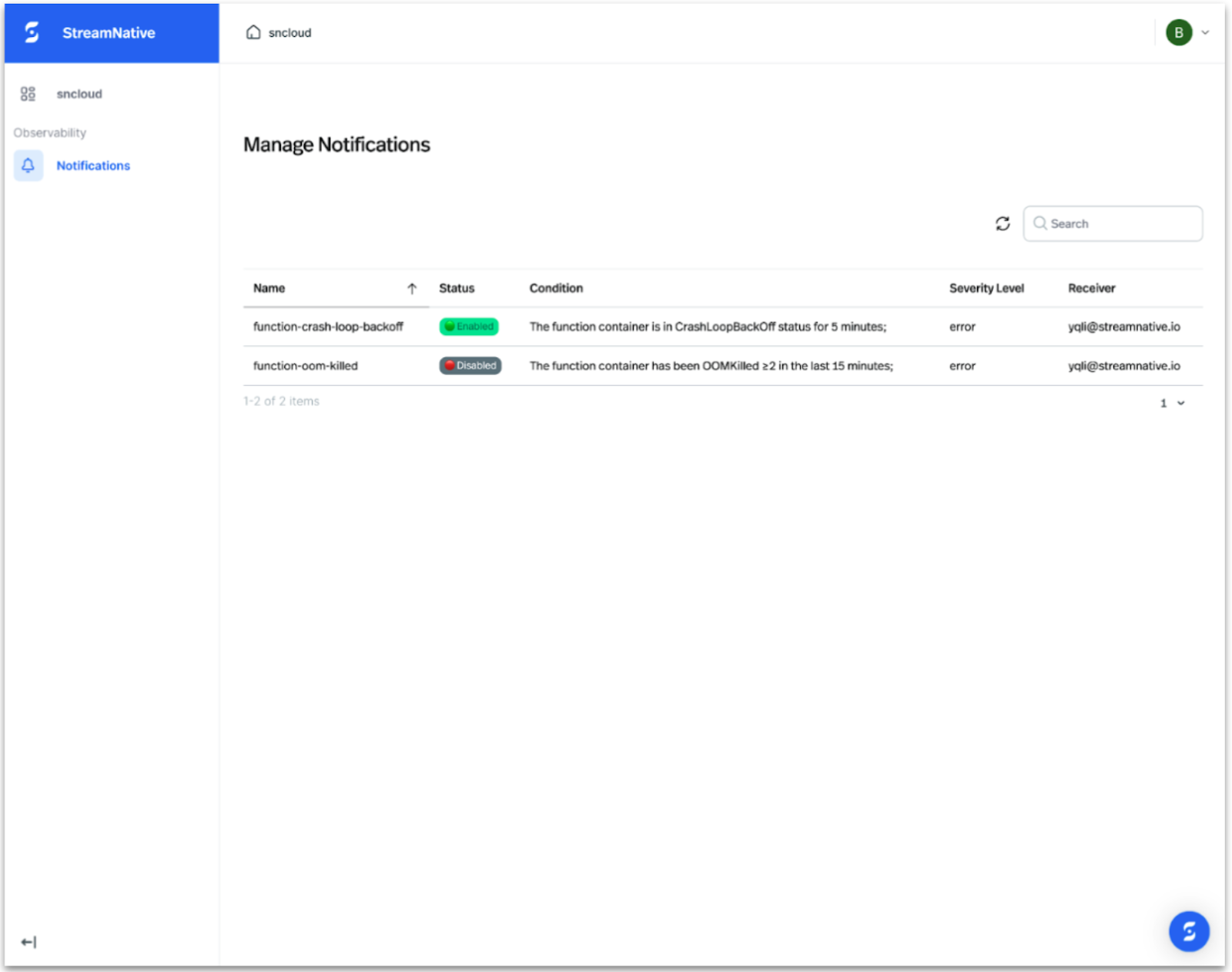
With this initial release, notification is scoped specifically to StreamNative Functions. Our built-in notification rules allow you to quickly gain visibility into issues before they impact production. Today, we offer two types of preconfigured rules that cover common failure scenarios and health checks.
When a rule is triggered, StreamNative Cloud will automatically send an email notification so you can take prompt action.
Key highlights:
Enable or Disable Rules From Console: You can easily turn notifications on or off for each rule directly from the console, giving you fine-grained control over what you monitor.Two types of rules are available today, covering common failure scenarios and health checks.
- function-crash-loop-backoff
- function-oom-killed
More built-in rules are planned for future releases.
By default, the notifications are disabled. Users will have to enable them.
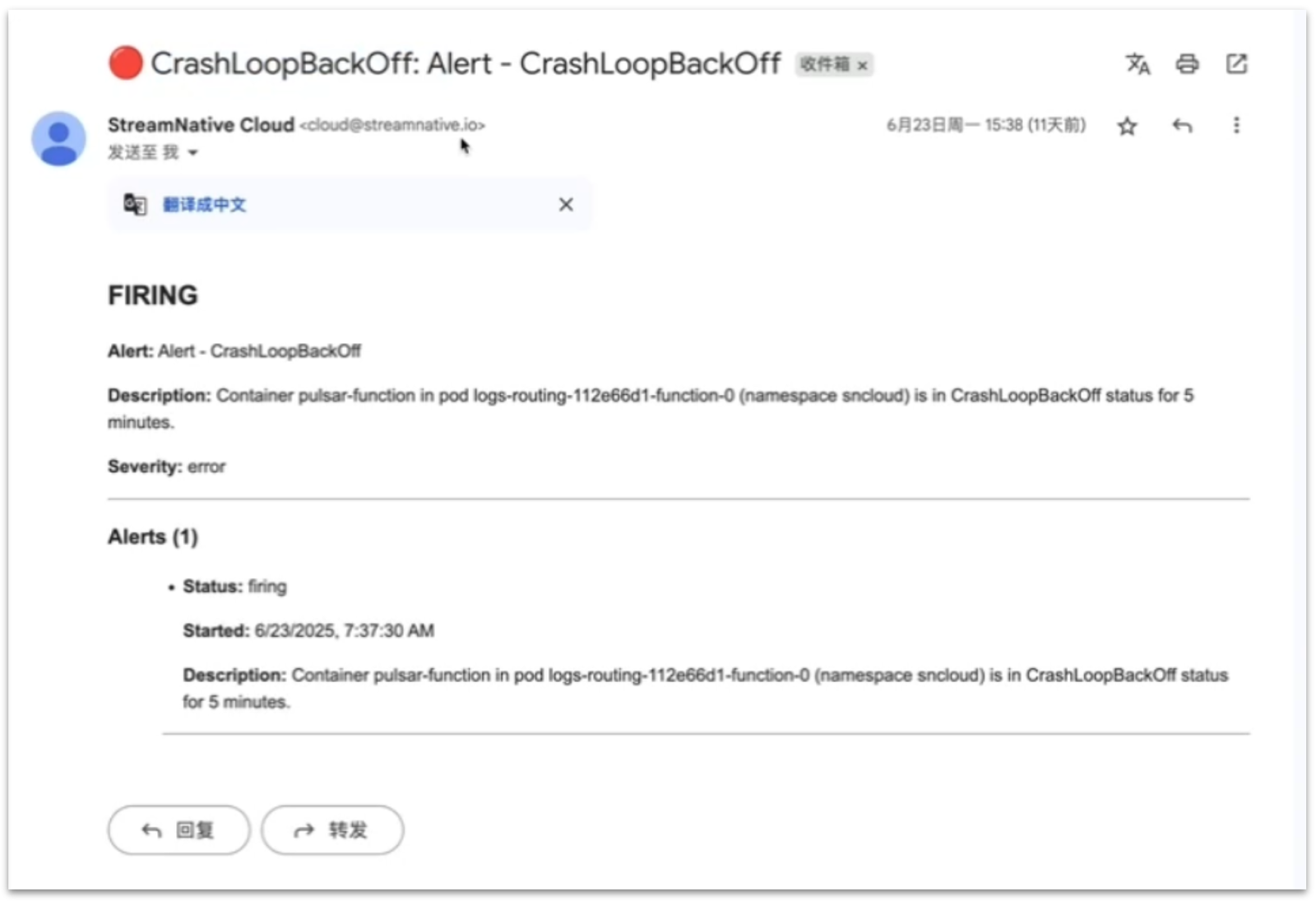
Immediate Email Notifications: As soon as a notification is triggered in your cluster, an email is dispatched to ensure you never miss a critical event.
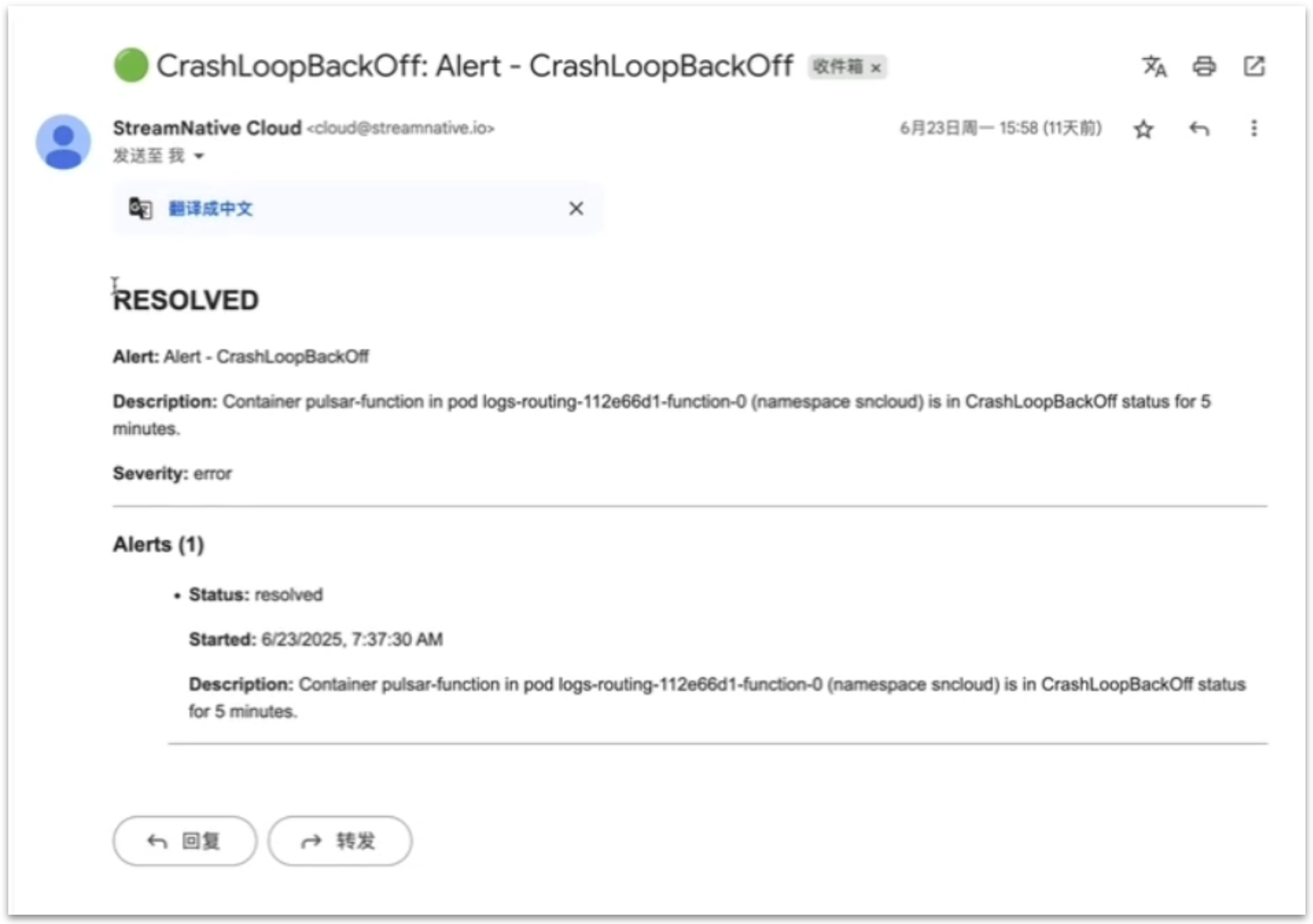
Once the incident is resolved, an additional email is sent to notify users of the resolution.
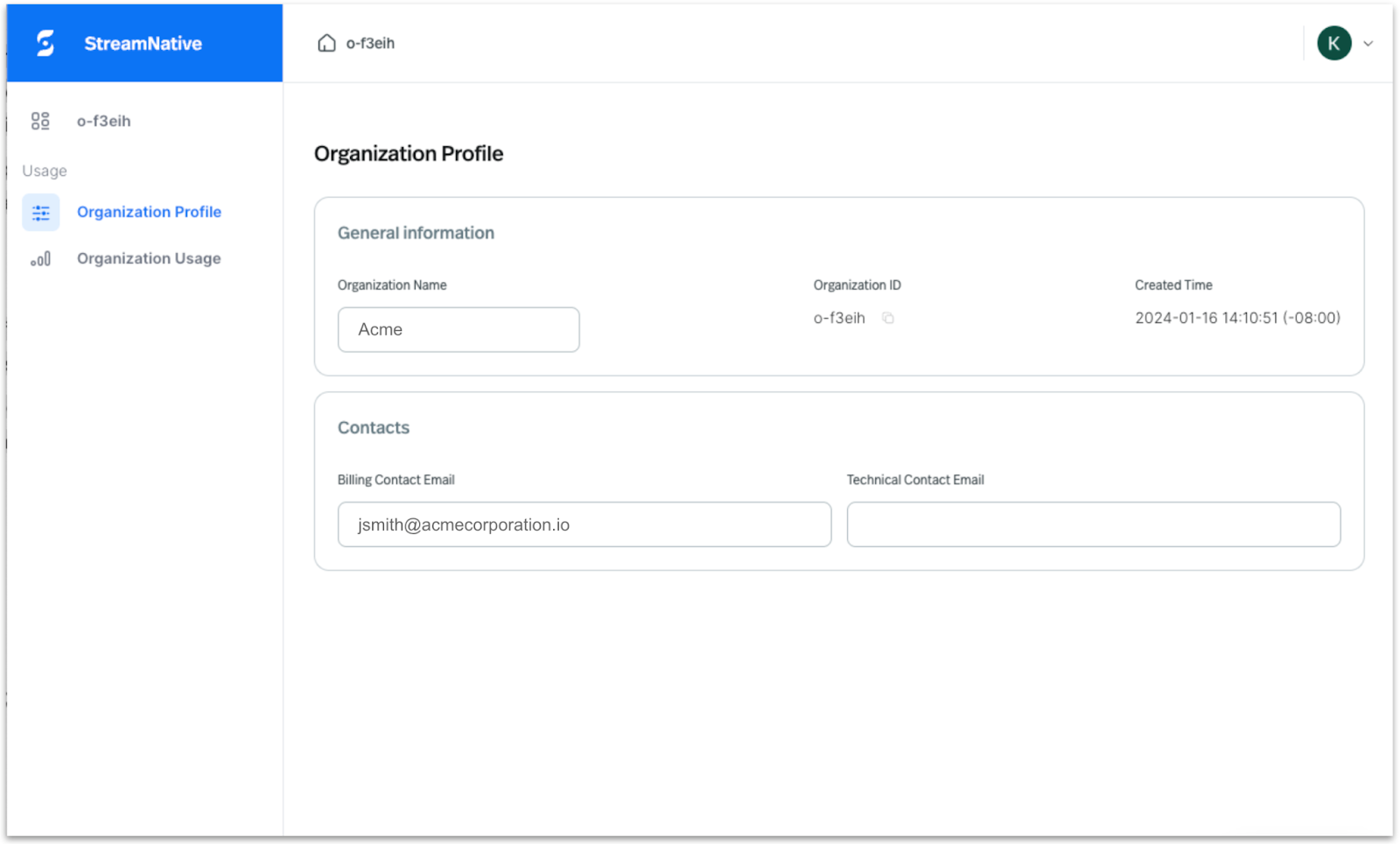
Flexible Recipient Management: Email notifications are sent to your configured recipients. By default, notifications go to your organization’s technical contact email, or the billing contact email if a technical contact isn’t specified.
What’s Next?
This is just the beginning. Over the coming months, we’ll expand notification rules to cover other components across the StreamNative Cloud platform so you can monitor everything from Pulsar brokers and connectors to storage integrations—all within a unified experience.
Stay tuned for future updates as we continue to build out a robust observability toolkit to help you operate data streaming workloads with confidence.
Get Started
Sign up for a trial** **and get started for free. Leverage the following resources to learn more about StreamNative Cloud. Visit your StreamNative Cloud Console to enable notifications for your Functions and take control of your monitoring workflows.
Happy streaming!