Now available in Private Preview: query Kafka and Pulsar topics, build continuously updated materialized views, and serve real-time data to applications, BI tools, and AI agents—all with SQL.
Now available in Private Preview, StreamNative Cloud brings streaming, stateful processing, and queryable real-time context into one managed experience. SQL Workspace gives developers, data teams, and AI agents a familiar SQL interface for working with data in Kafka and Pulsar clusters without first moving that data into a separate analytical system.
For years, organizations have used Kafka and Pulsar to move events reliably between applications. But answering a question about those events, or turning them into a continuously updated business context—often required a separate processing engine, connector infrastructure, and database. That fragmentation adds operational work and introduces more places for data to become stale.
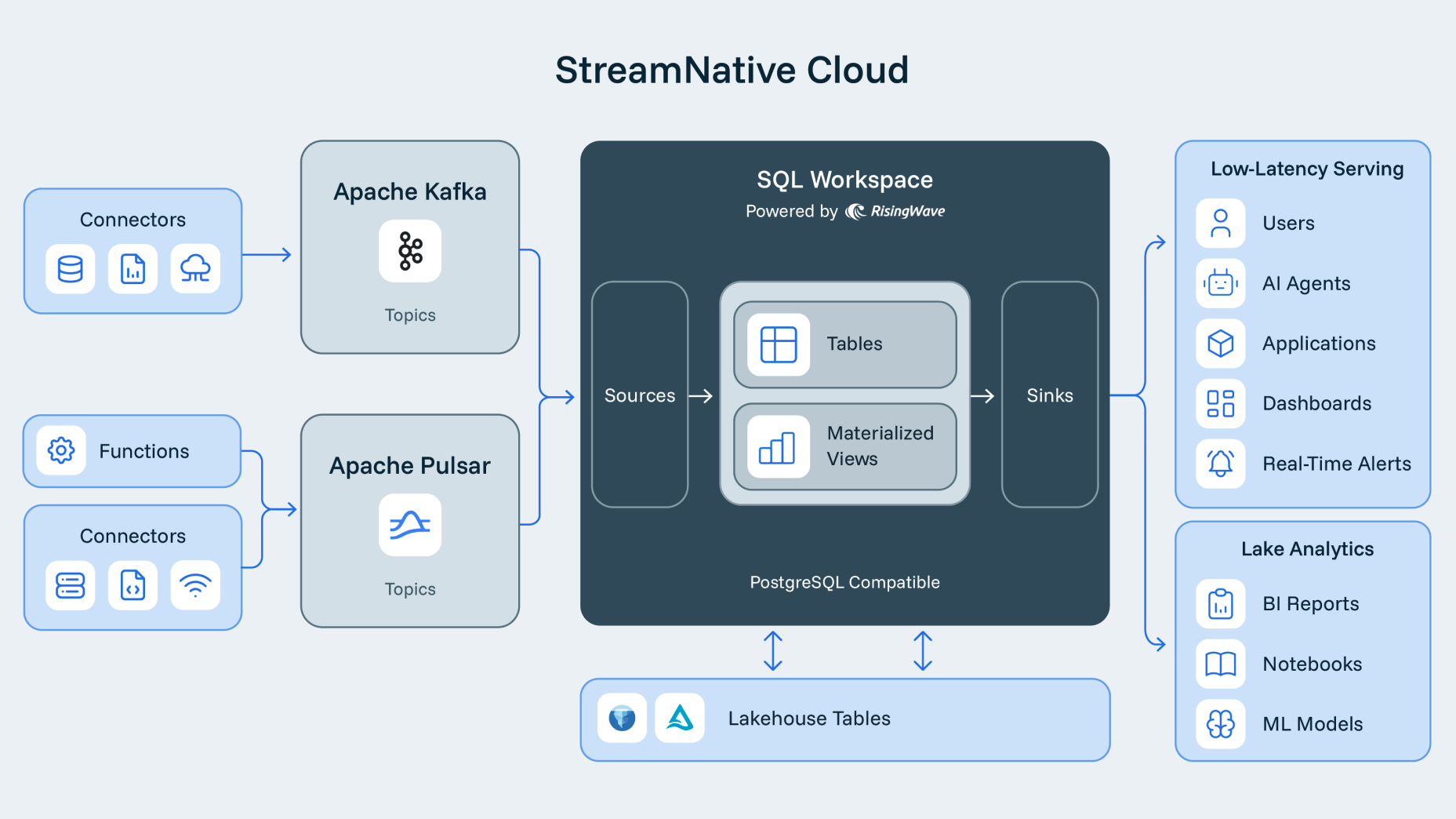
SQL Workspace changes that experience. From StreamNative Cloud, teams can connect one workspace to multiple clusters, discover streaming data as sources, write SQL against topics and materialized views, and run queries interactively or continuously. The result is a simpler path from events in motion to data that humans, applications, and agents can use immediately.
A familiar SQL experience for streaming data
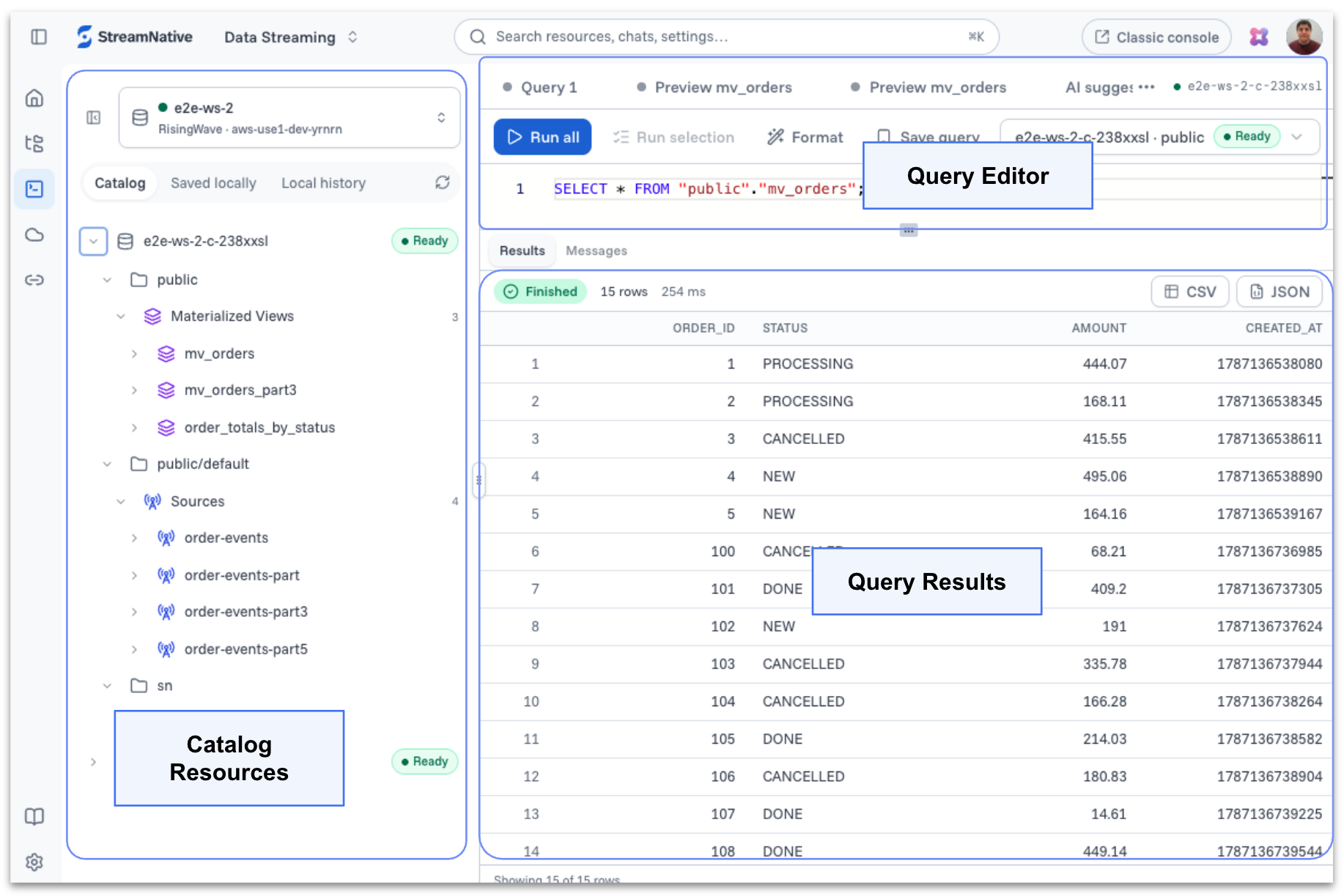
SQL Workspace presents Kafka and Pulsar topics as queryable sources. Instead of learning cluster-specific APIs or assembling separate pipelines, users can inspect catalog resources and use SQL to filter, join, aggregate, and transform live event streams.
The SQL Workspace capability available in Private Preview is powered by the RisingWave SQL engine. RisingWave provides the streaming SQL foundation for executing continuous queries and incrementally maintaining results as new events arrive, while StreamNative Cloud provides the integrated workspace experience and connectivity to Kafka and Pulsar clusters.
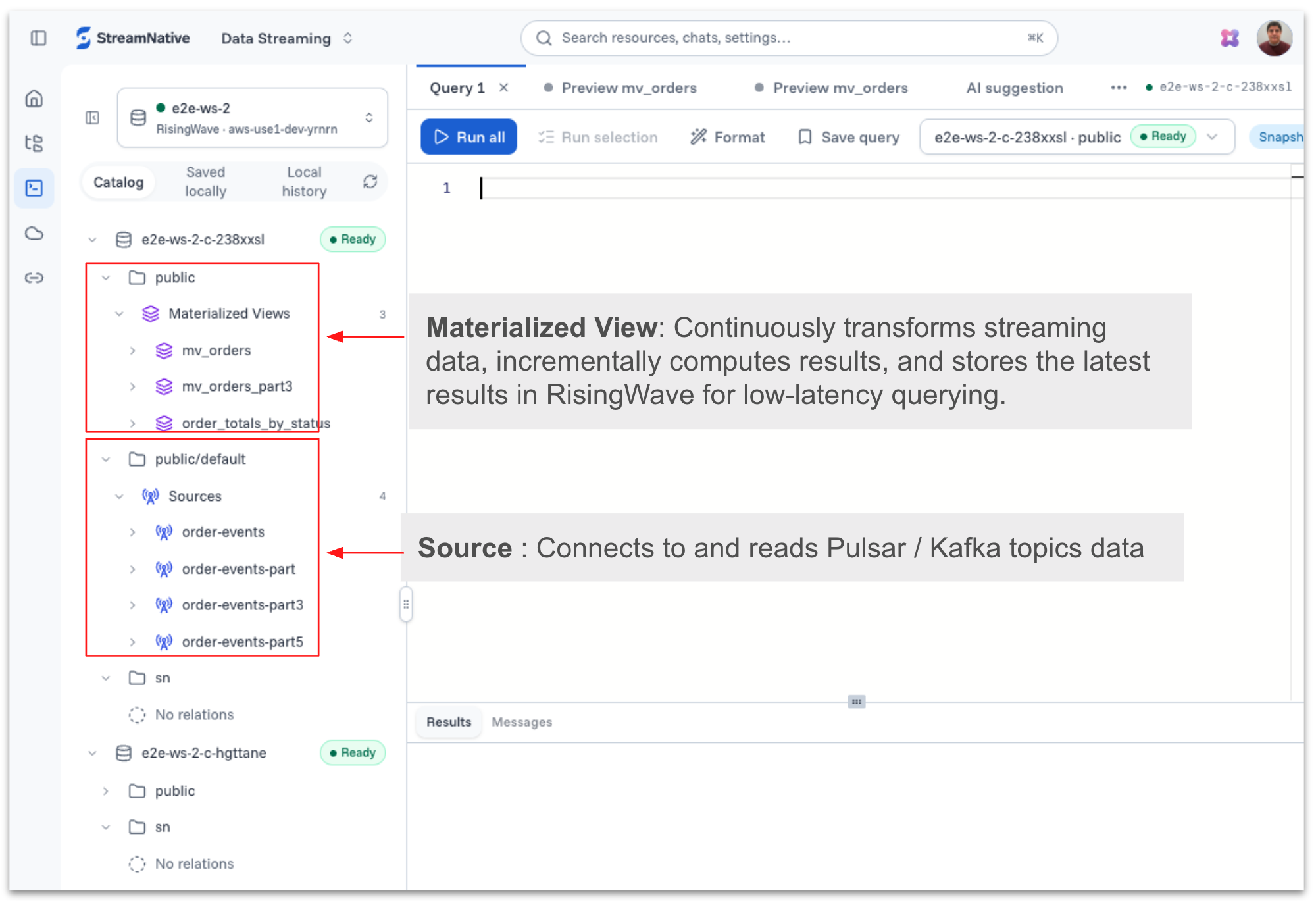
The workspace organizes resources using familiar data concepts:
- Sources connect to and read external data, including topics from associated Kafka and Pulsar clusters.
- Tables persist current data and state for repeatable access.
- Materialized views continuously transform incoming events and maintain up-to-date results as source data changes.
- Sinks send processed data to an external system or destination database.
This model makes streaming data easier to understand for SQL users while preserving what makes it valuable: continuous updates, low latency, and the ability to react as events arrive.
From interactive questions to continuously running SQL
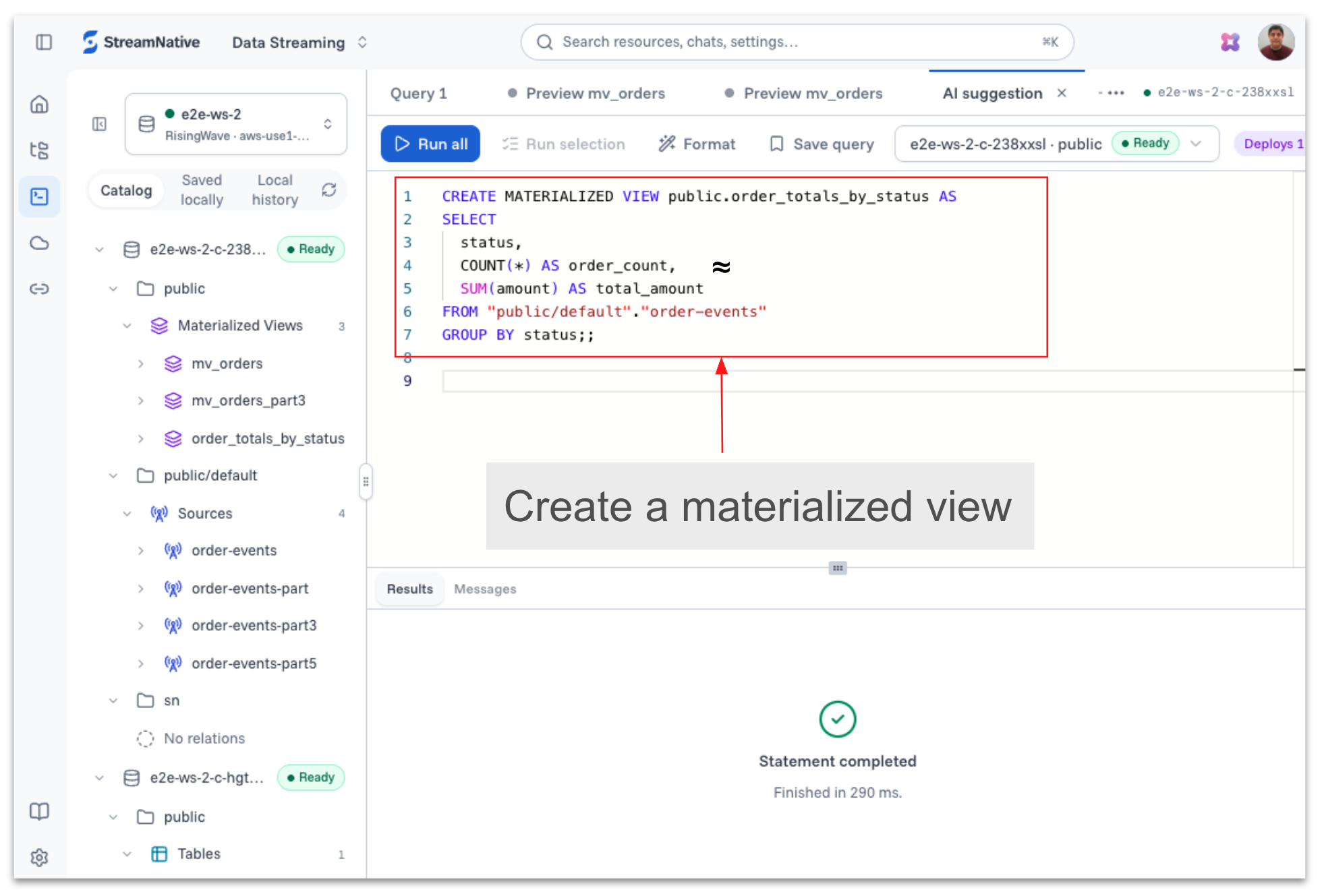
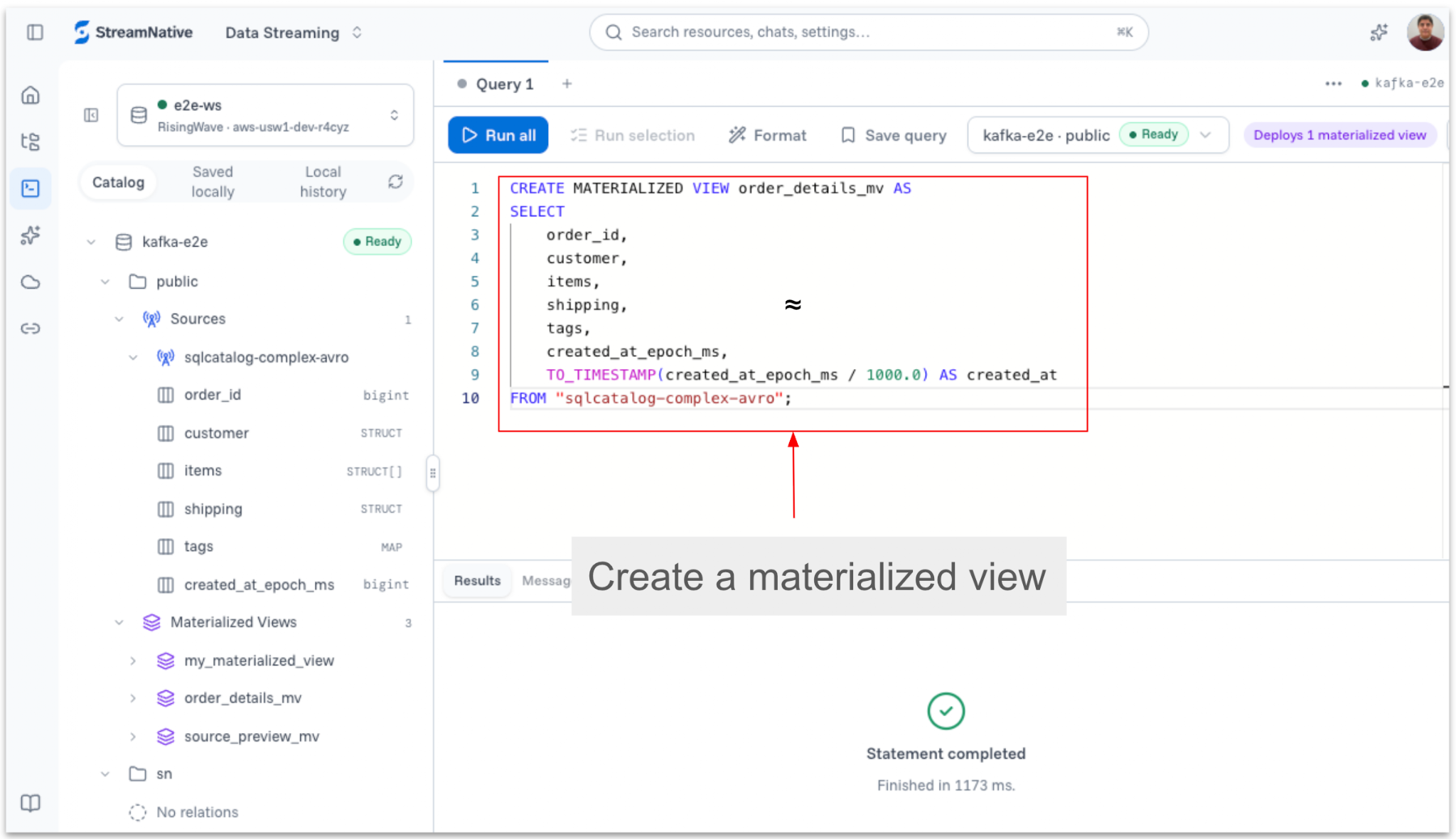
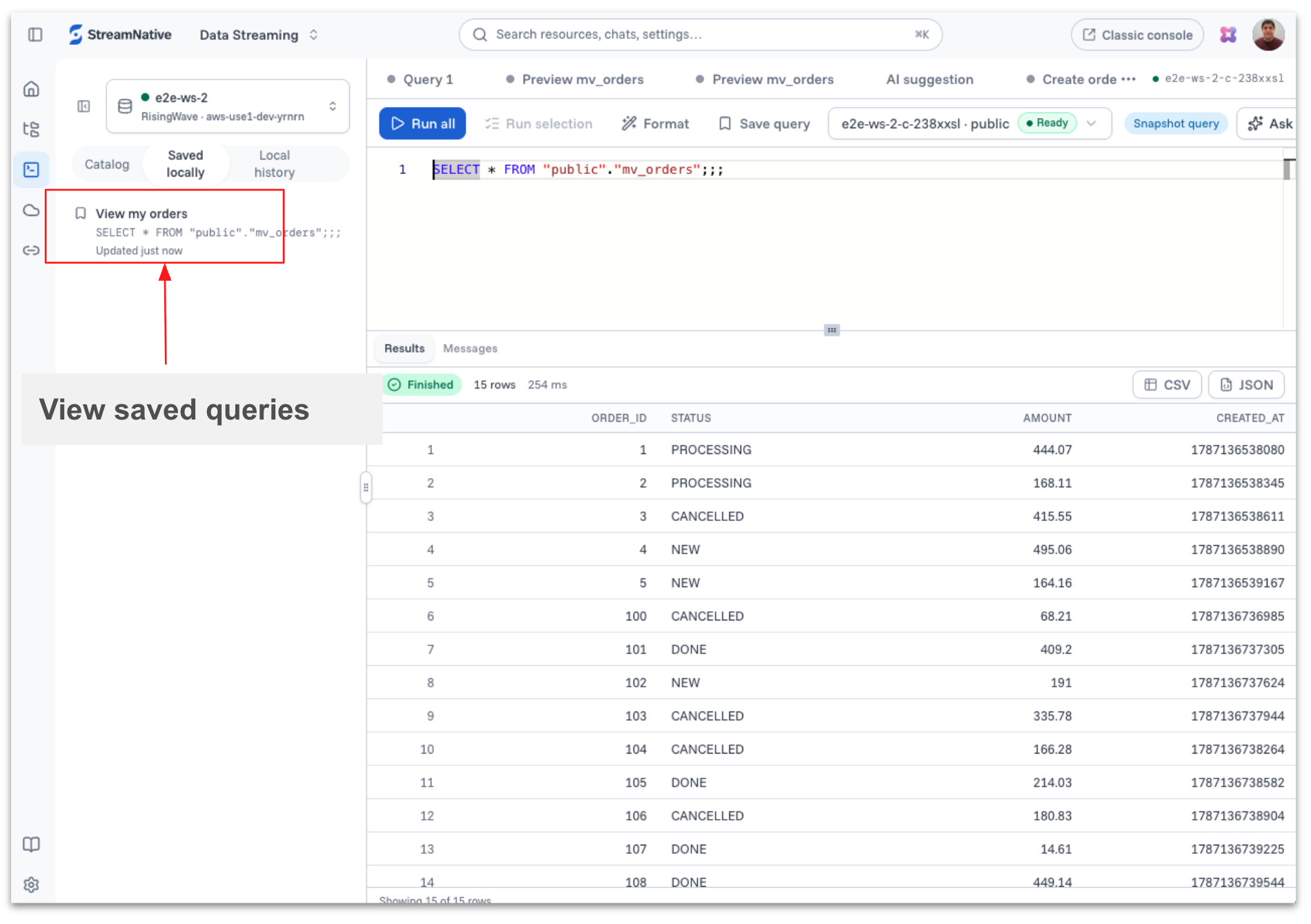
SQL Workspace supports more than ad hoc exploration. A SQL statement can become a long-running process that continuously reads new events, applies business logic, and updates a table or materialized view. As data arrives in a topic, the query keeps the derived result current—without repeatedly scheduling batch jobs.
For example, an ecommerce team could read order, payment, and fulfillment events from Kafka or Pulsar; join them into a continuously updated order-status materialized view; and write the result into a destination database table used by customer-service applications. The same pattern can create fraud signals, operational metrics, customer profiles, inventory views, or contextual data for an AI agent.
Because the computation is expressed in SQL, teams can move from exploration to production using the same language and workspace. Saved queries also make important transformations easier to review, reuse, and operate collaboratively.
One workspace for humans, applications, and agents
SQL Workspace is accessible to users, agents, and applications through a shared interface for querying and working with real-time streaming data.
Users can explore data, develop queries, and review results through the built-in SQL editor in the StreamNative Cloud console. Agents can interact with the same workspace through Rio, StreamNative Cloud's built-in AI digital assistant, to query data and retrieve real-time context using natural-language requests.
Applications can connect through the PostgreSQL wire protocol. This enables PostgreSQL-compatible clients, application frameworks, and BI tools to query tables and continuously updated materialized views using familiar drivers and interfaces.
StreamNative SQL Workspace provides an endpoint, port, database, username and password for connecting through PostgreSQL-compatible clients.
| Connection field | Value to supply |
|---|---|
| Host | Workspace PostgreSQL endpoint: <workspace-host> |
| Port | Port displayed for the workspace: <port> |
| Database | Imported or default database to test: <database> |
| Username | Provisioned SQL Workspace user: <username> |
| Password | Provisioned password or generated credential: <password> |
| TLS/SSL | Use the SSL mode required by the connection panel; for psql, typically supply sslmode=require when instructed. |
Users can connect from a terminal or another supported SQL client and execute queries, as shown below.
Connectivity Format
psql "host=<workspace-host> port=<port> dbname=<database> user=<username> sslmode=<required-mode>"
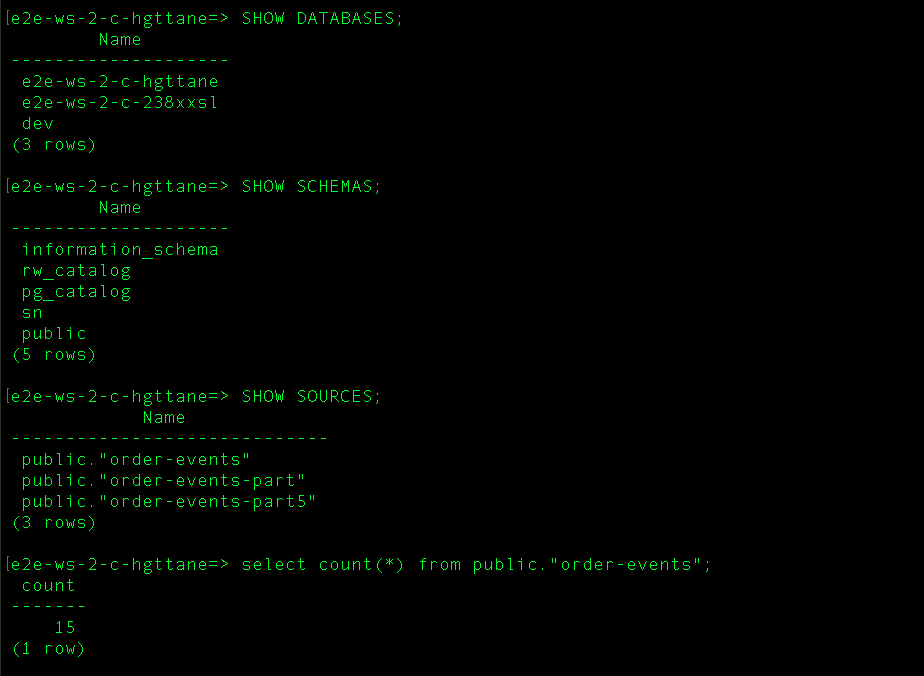
This shared access model allows users, agents, and applications to work with the same streaming sources and derived views, reducing duplicate data paths and keeping processing logic close to the underlying event streams.
The following steps provide guidance on how to get started with SQL Workspace in StreamNative Cloud.
Creating a SQL Workspace
Creating a workspace is designed to be straightforward:
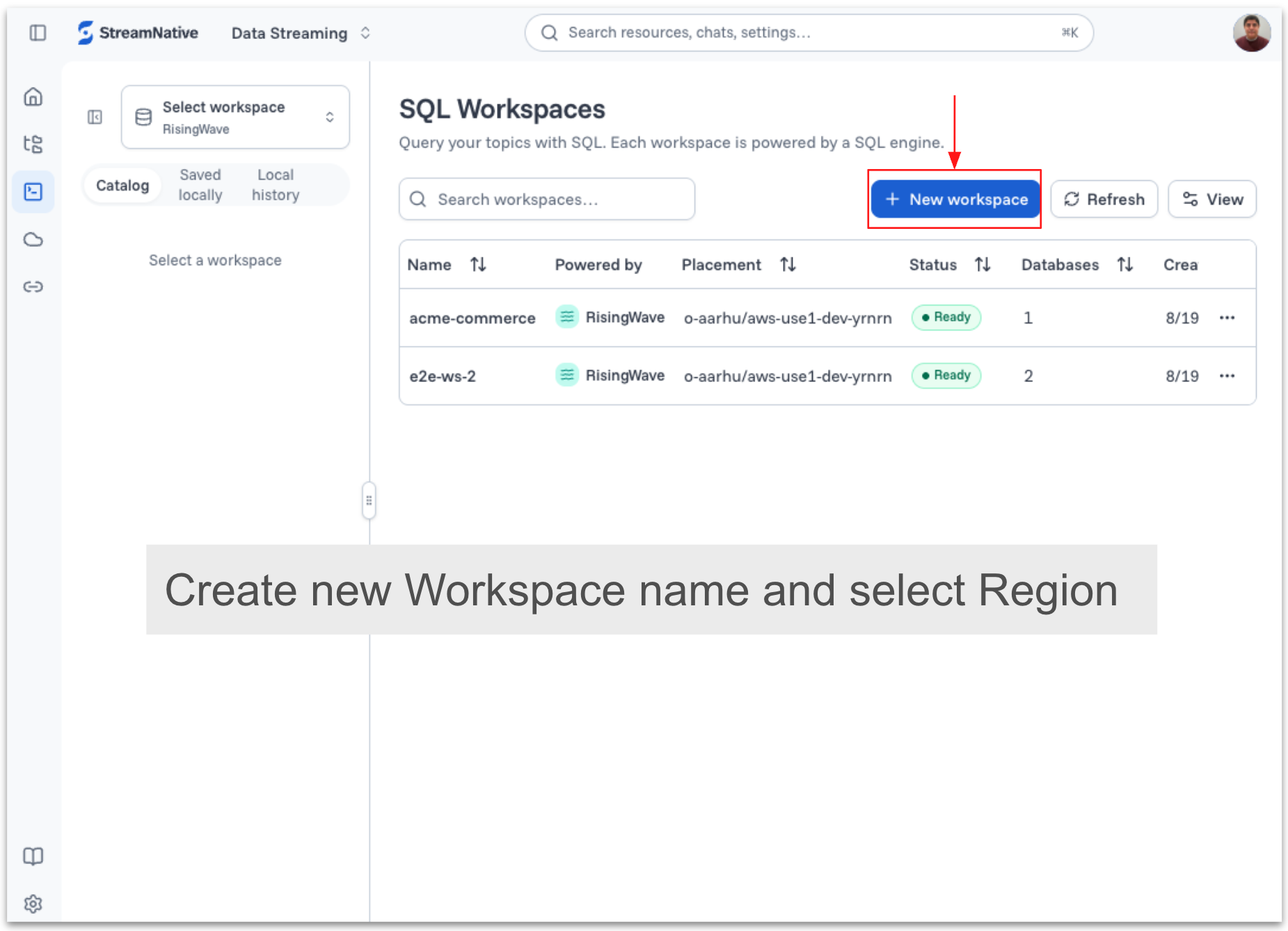
- Choose Create workspace from the SQL Workspaces page.
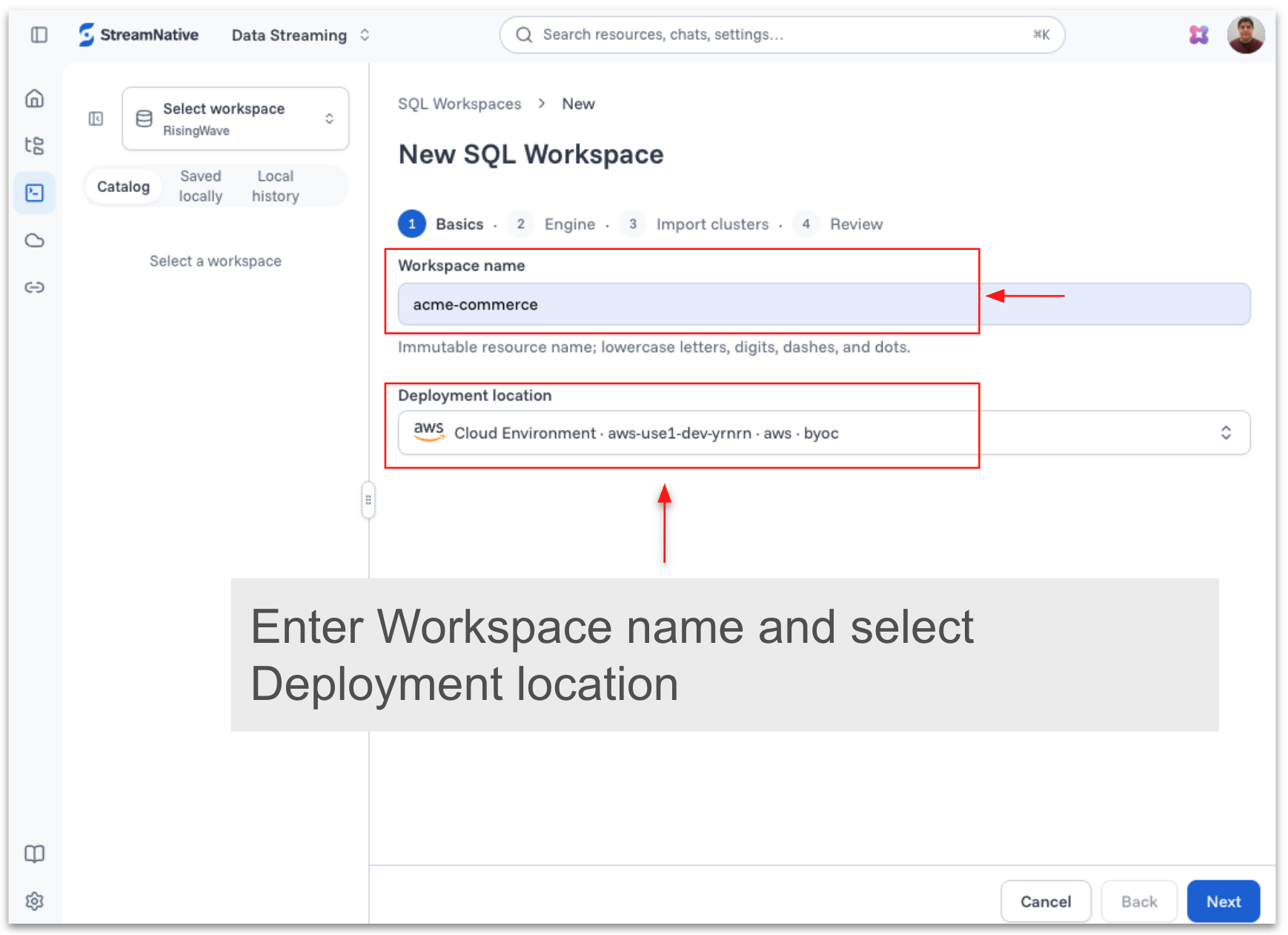
- Enter a workspace name and select the deployment region.
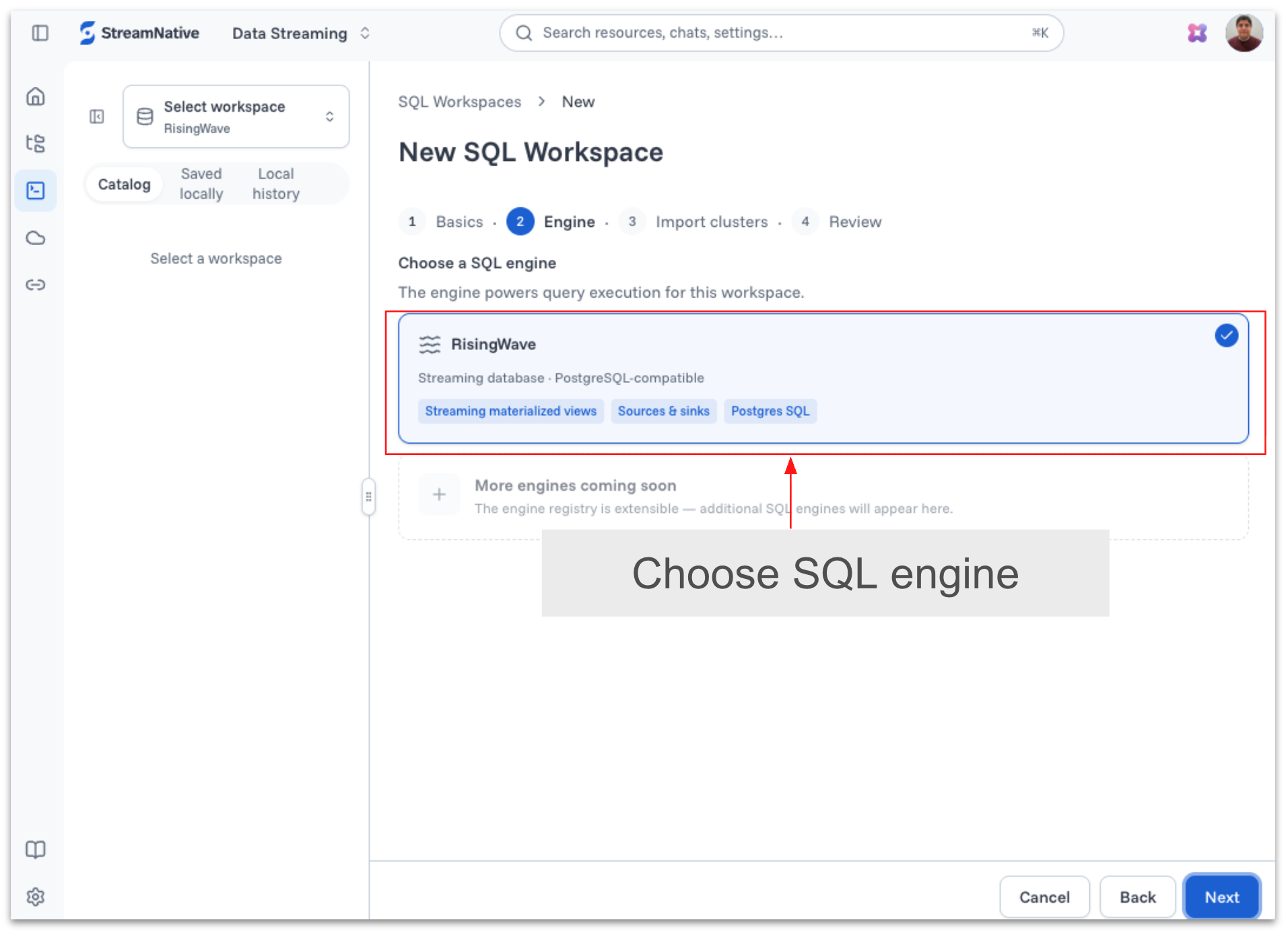
- Select the RisingWave SQL engine that currently powers SQL Workspace in Private Preview.
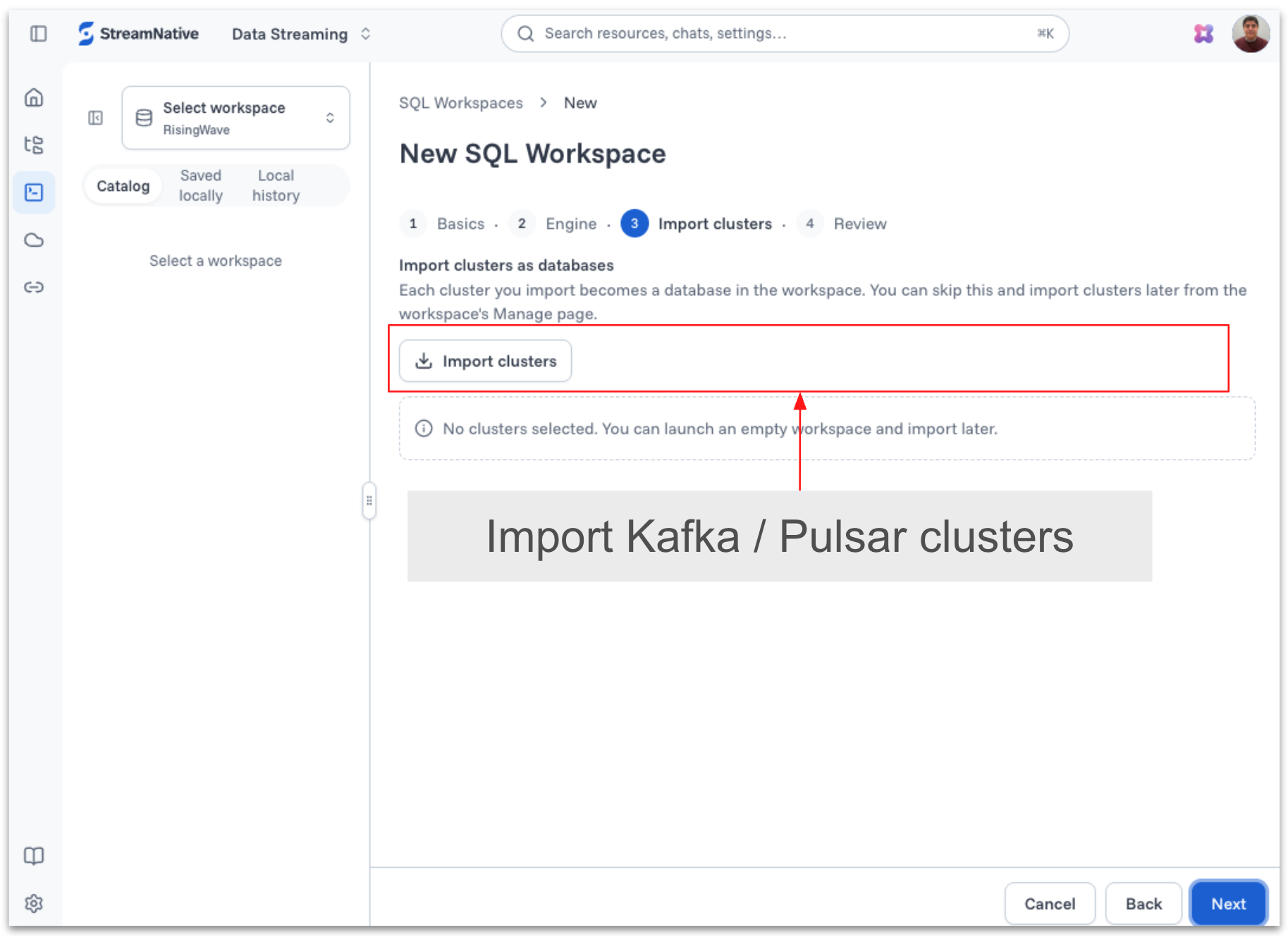
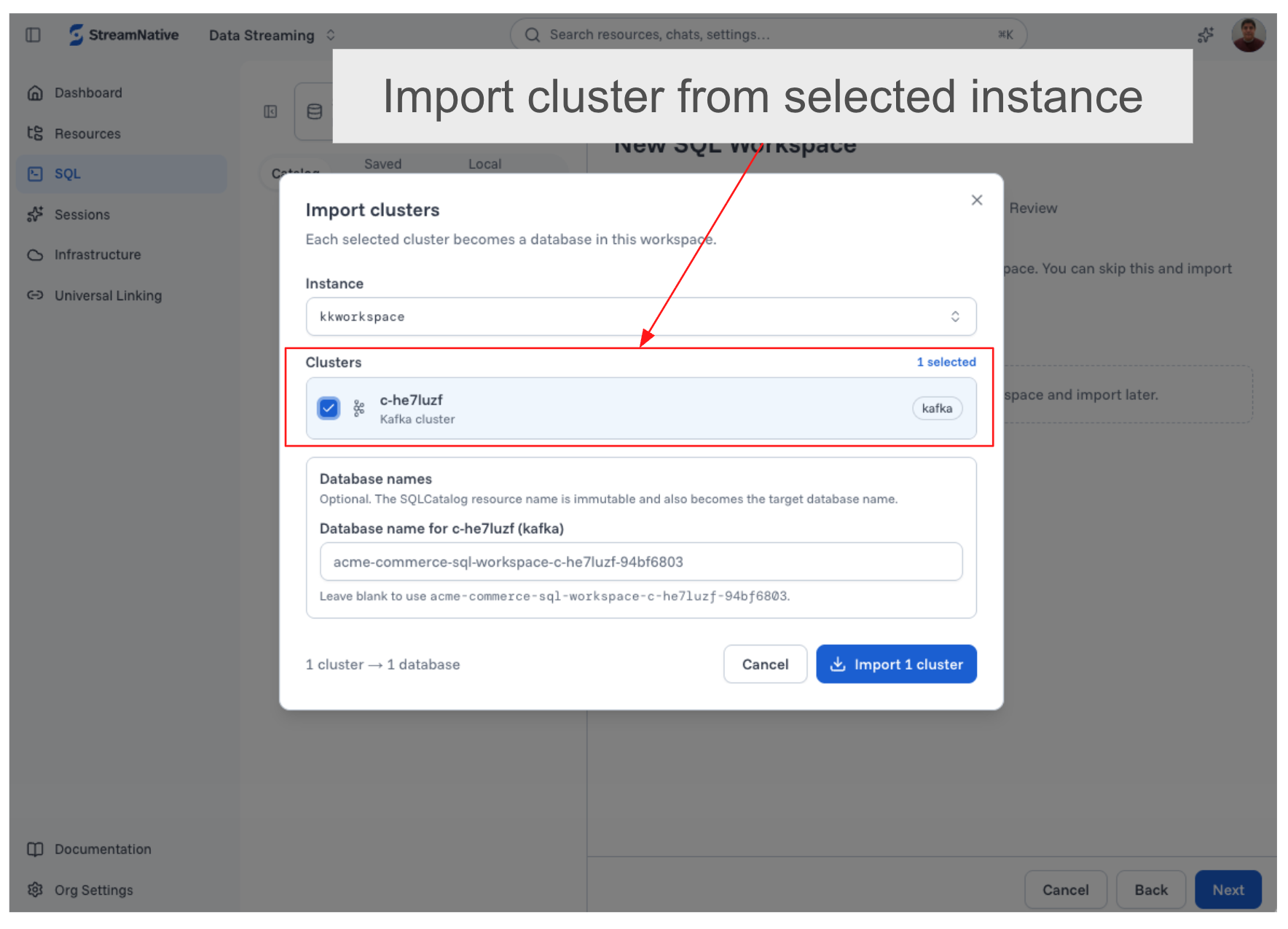
- Associate the workspace with the Kafka and Pulsar clusters that contain the topics you want to query.
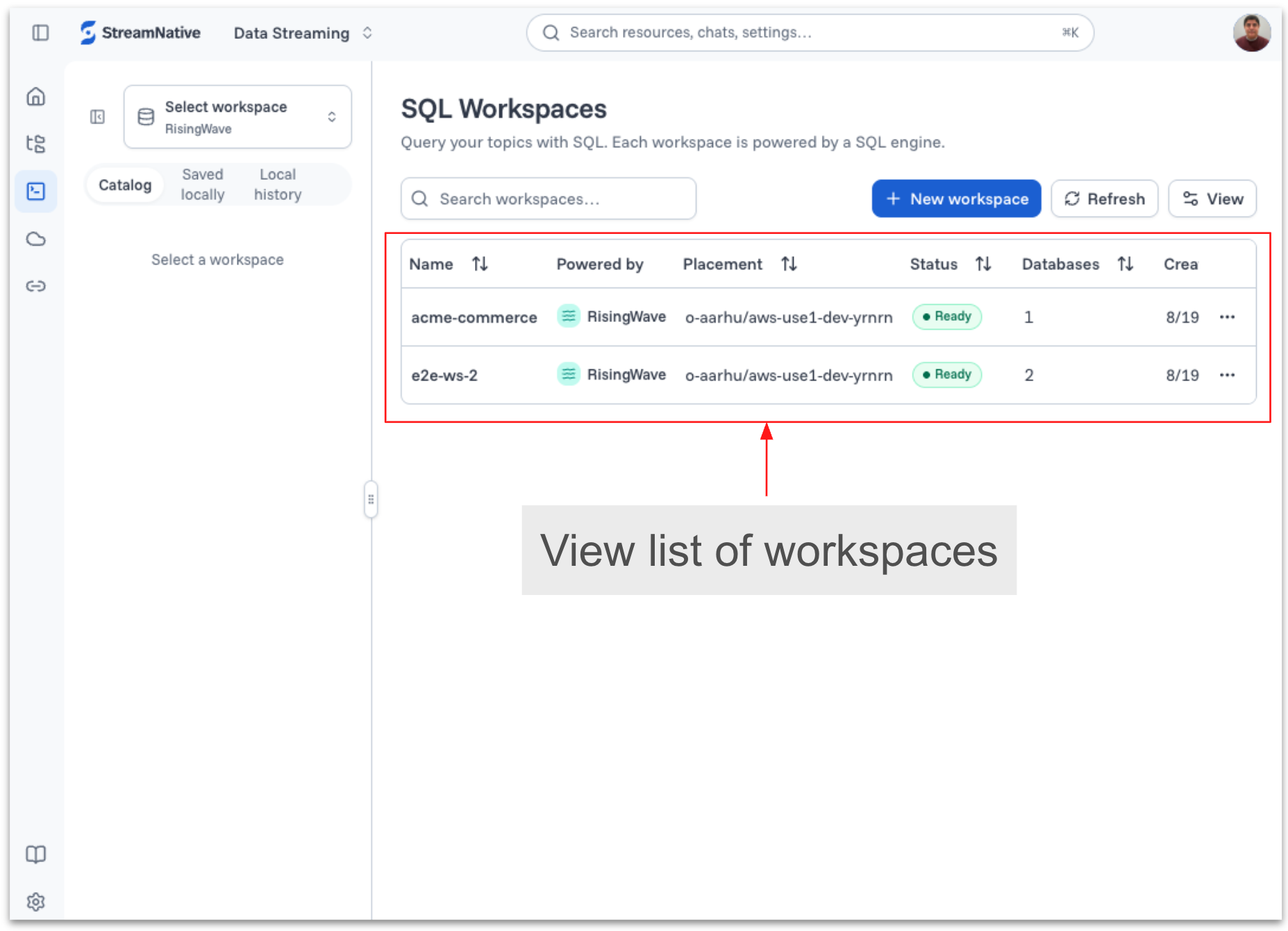
- Create the workspace, open the SQL editor, and begin exploring catalog resources or writing queries.
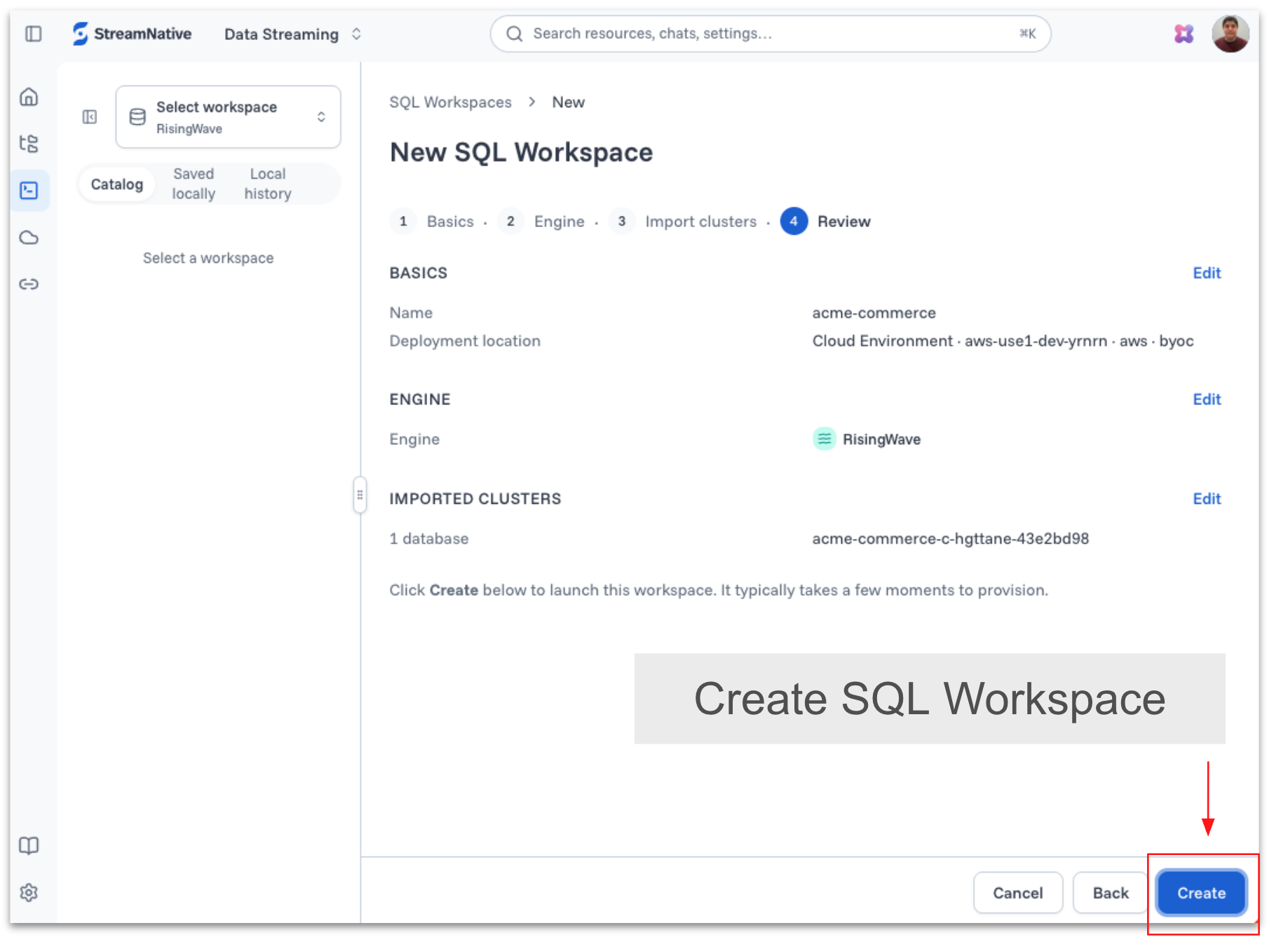
Once the workspace is created, you can view and manage it from the SQL Workspace home page.
Completing the StreamNative Data Platform with SQL Workspace
StreamNative Cloud provides a unified platform for capturing, processing, governing, and delivering real-time data through Kafka and Pulsar. With the addition of SQL Workspace, the platform now extends beyond data movement and storage to provide native SQL-based transformation and query capabilities for humans, applications, BI tools, and AI agents.
| Platform capability | How StreamNative Cloud delivers it |
|---|---|
| Real-time collection and transport | Kafka and Pulsar ingest and distribute events from operational systems as they happen. |
| Streaming transformation and state | Long-running SQL queries continuously filter, join, aggregate, and maintain derived state in tables and materialized views. |
| Governed data and open storage | Catalog and lakehouse integrations make streaming data available across an open data ecosystem while supporting consistent discovery and governance. |
| Queryable real-time data | SQL Workspace lets people, applications, BI tools, and AI agents query sources, tables, and continuously updated materialized views using SQL and PostgreSQL-compatible clients. |
| Operational delivery | Sinks and persistent outputs deliver processed results to destination databases and other downstream systems. |
SQL Workspace completes the StreamNative Data Platform by turning continuously arriving events into refined, queryable, and actionable data. A person can investigate an operational issue, an application can make a real-time decision, and an AI agent can retrieve fresh context—all through the same integrated platform.
Build with real-time data using SQL
SQL Workspace lowers the barrier between streaming infrastructure and the people and systems that need real-time data. Developers can build continuously running transformations without managing a separate processing stack. Analysts can explore streaming data with familiar SQL. Applications and agents can consume the resulting views through PostgreSQL-compatible interfaces.
Together with StreamNative Cloud's Kafka and Pulsar services, lakehouse integrations, governance capabilities, and managed data movement, SQL Workspace completes a shared data architecture: an open, continuous, and production-ready foundation for real-time applications and AI.
Getting Started
Ready to explore real-time streaming data with SQL? Sign up for a free StreamNative Cloud trial and get hands-on with SQL Workspace to query Kafka and Pulsar data, build continuously updated materialized views, and access results through the built-in editor or PostgreSQL-compatible clients. Start your free trial. Contact StreamNative to enable SQL Workspace in your cloud environment.