We're excited to announce the launch of Maintenance Notifications for StreamNative Cloud—a new feature that gives teams a clear, centralized way to track planned and ongoing maintenance for their Pulsar clusters and cloud environments. From the StreamNative Cloud Console, users can review maintenance details, receive email updates before, during, and after execution, and take actions such as approving, rejecting, or rescheduling maintenance when required.
Maintenance Notifications Overview
StreamNative Cloud performs regular maintenance on your Pulsar clusters and cloud environments to ensure optimal stability, security, and performance. The new Maintenance Notification feature provides a dedicated, direct view of planned and ongoing maintenance within the StreamNative Cloud Console. You can easily review the details of what is changing, when it is scheduled, and, based on your support plan, take necessary action before the maintenance begins.
Accessing Maintenance Notifications
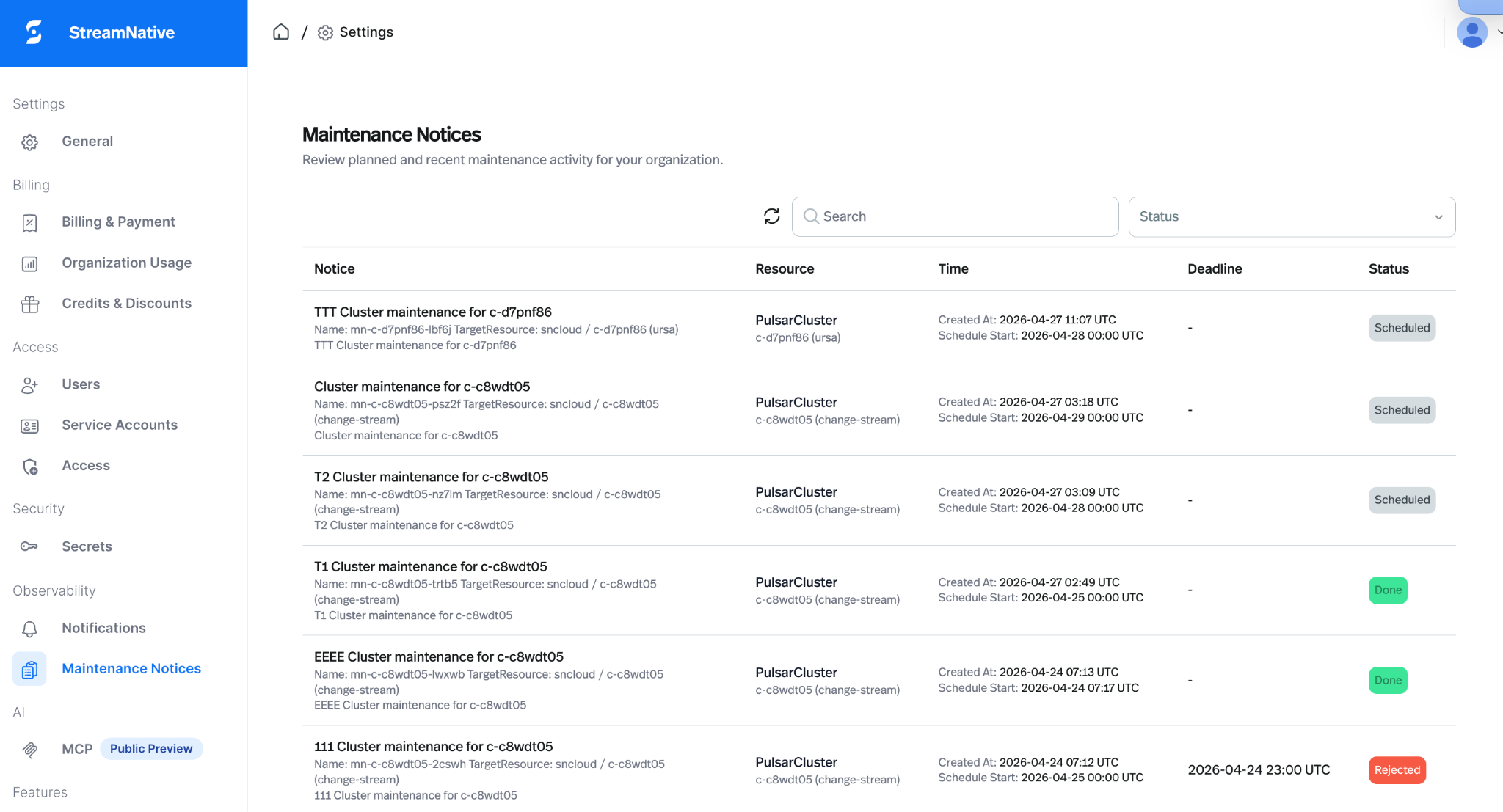
All maintenance notifications for your organization are accessible on the Maintenance Notices page, located under Organization Settings > Observability.
Clicking any notice opens a detail page showing the following essential information:
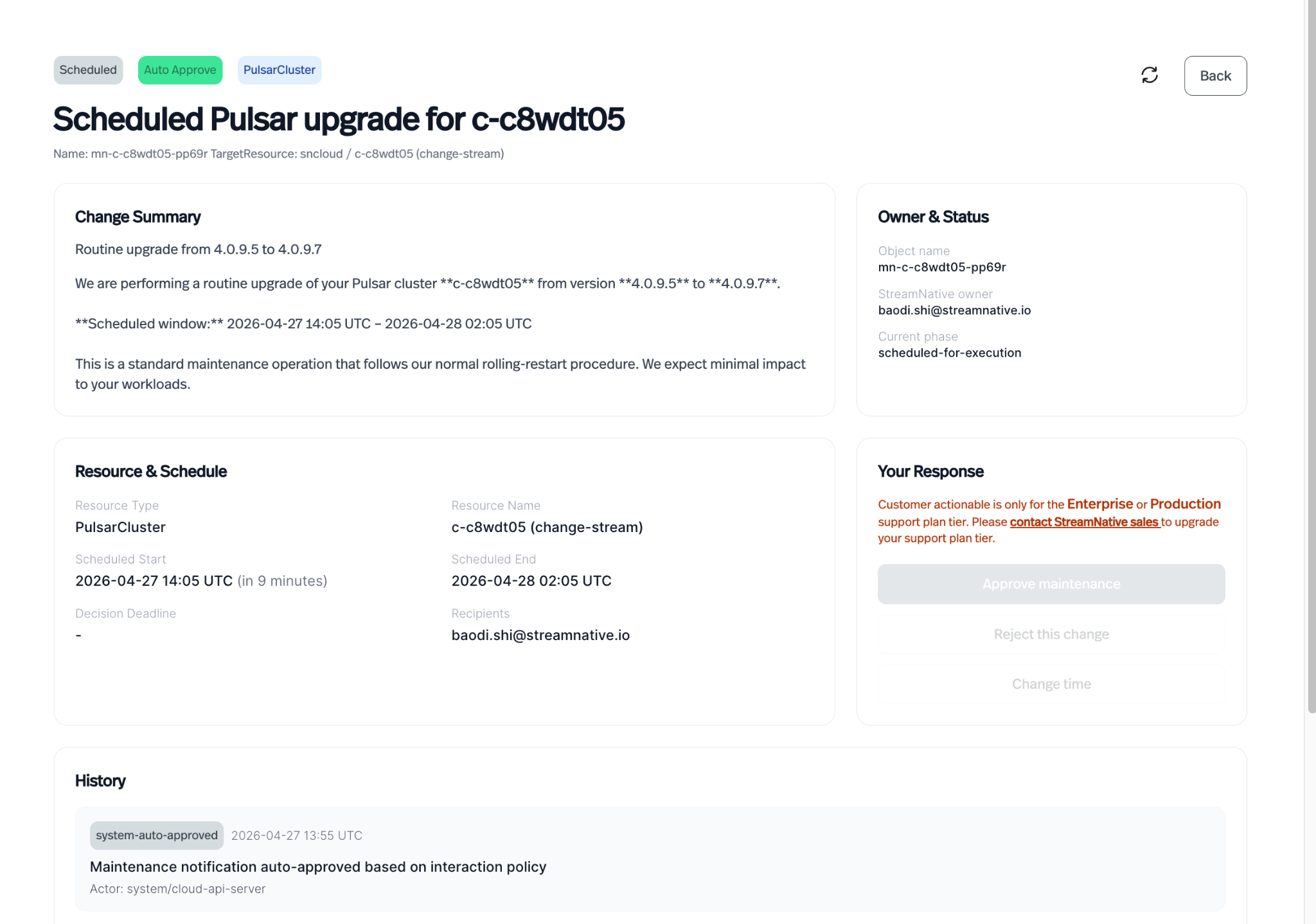
- Change summary: A description of the planned change, such as a Pulsar version upgrade or a configuration modification.
- Target resource: The specific cluster or cloud environment affected by the maintenance.
- Scheduled window: The planned start and end time for the maintenance.
- StreamNative owner: The StreamNative team member responsible for the change.
- Decision deadline: The time by which you must respond if the notice requires your action.
Email Notifications
StreamNative sends email notifications to keep you informed at key stages of the maintenance lifecycle:
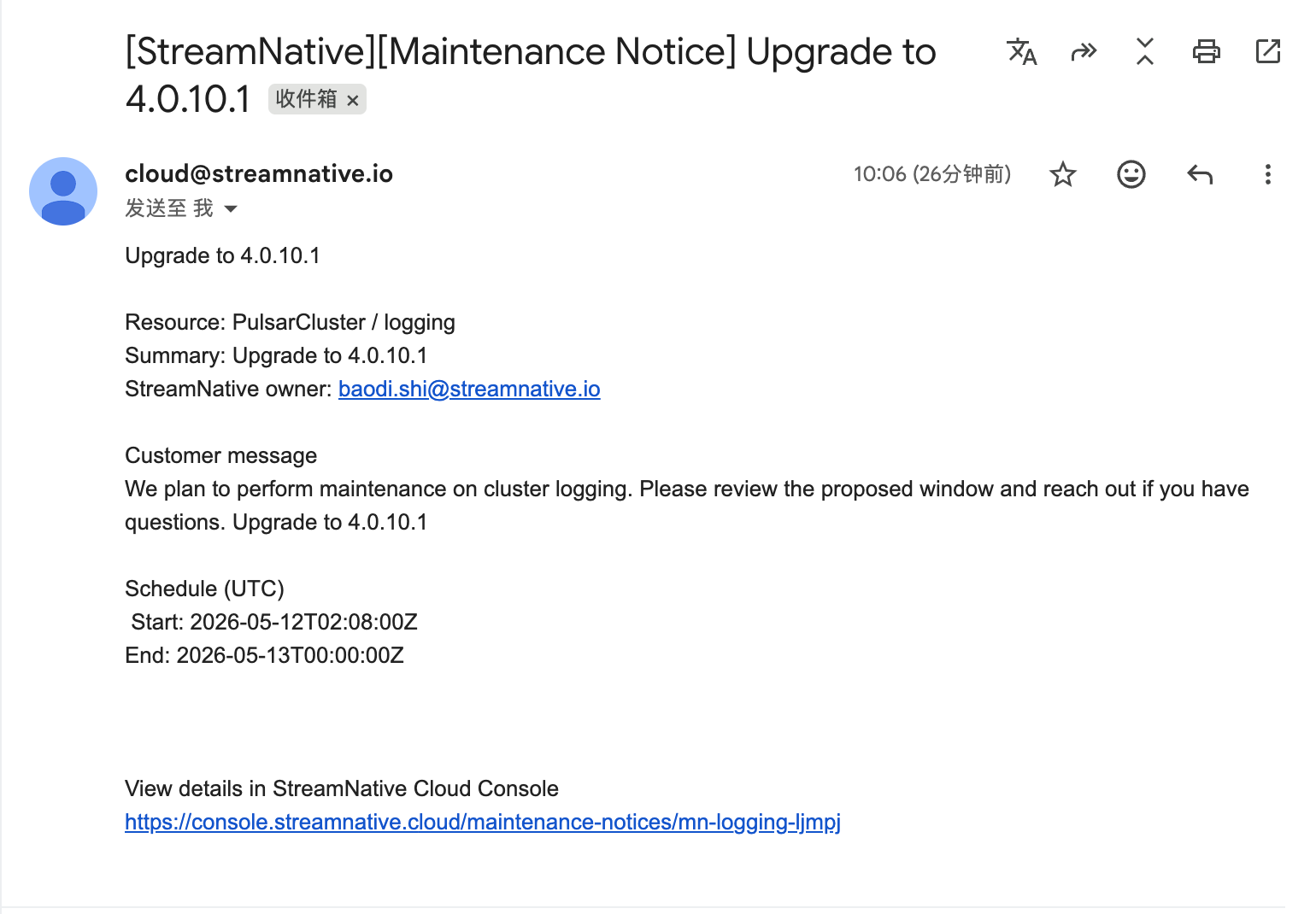
The maintenance notification emails will be sent before, during, and after the execution. By default, these emails are sent to the technical contact specified in your Organization Profile.
Required: Please ensure the correct technical contact email is set up. If multiple individuals need to receive these notifications, we recommend creating an email group and configuring that group address as the technical contact.
Maintenance Window Integration and Actions
StreamNative's routine operational work, such as Pulsar version upgrades, adheres to the Maintenance Window you have configured for your cluster.
For maintenance events that require your explicit approval, you will receive an initial email, and the notice in the console will display an Action Required status. You can respond directly from the detail page by choosing one of the following actions:
- Approve: Confirm that StreamNative can proceed with the maintenance at the proposed time.
- Reject: Decline the proposed maintenance. StreamNative will then follow up to schedule a new time.
- Reschedule: Submit your preferred alternative time, with an optional comment. StreamNative will review your request and confirm a new maintenance window.
Only users with an Enterprise or Production support plan tier are able to configure the maintenance window for their cluster and use the Approve, Reject, and Reschedule actions. To upgrade your support plan tier, please contact us.
Get Started
Sign up for a trial and get started for free. Leverage the resources to learn more about StreamNative Cloud. Visit your StreamNative Cloud Console and view your maintenance notification.
Happy streaming!