The redesigned StreamNative Cloud console brings streaming infrastructure, real-time data, and AI-assisted operations into a more intuitive and unified experience.
Managing a modern data streaming platform often means moving across clusters, connections, catalogs, migration tools, and operational dashboards. As the platform expands to support new AI-focused personas and workflows—including AI developers building agents and agents interacting directly with real-time data—the console must also evolve to support new resources, interaction models, and actions.
That is why we redesigned the StreamNative Cloud console around a simpler goal: help users and agents find what they need, understand the state of the environment, and take action with less friction. The new experience combines streamlined navigation and resource management with capabilities such as SQL Workspace and Rio, StreamNative Cloud's built-in AI digital assistant.
In this post, we will explore two major parts of the new experience: the redesigned console and Rio.
1. A redesigned StreamNative Cloud console
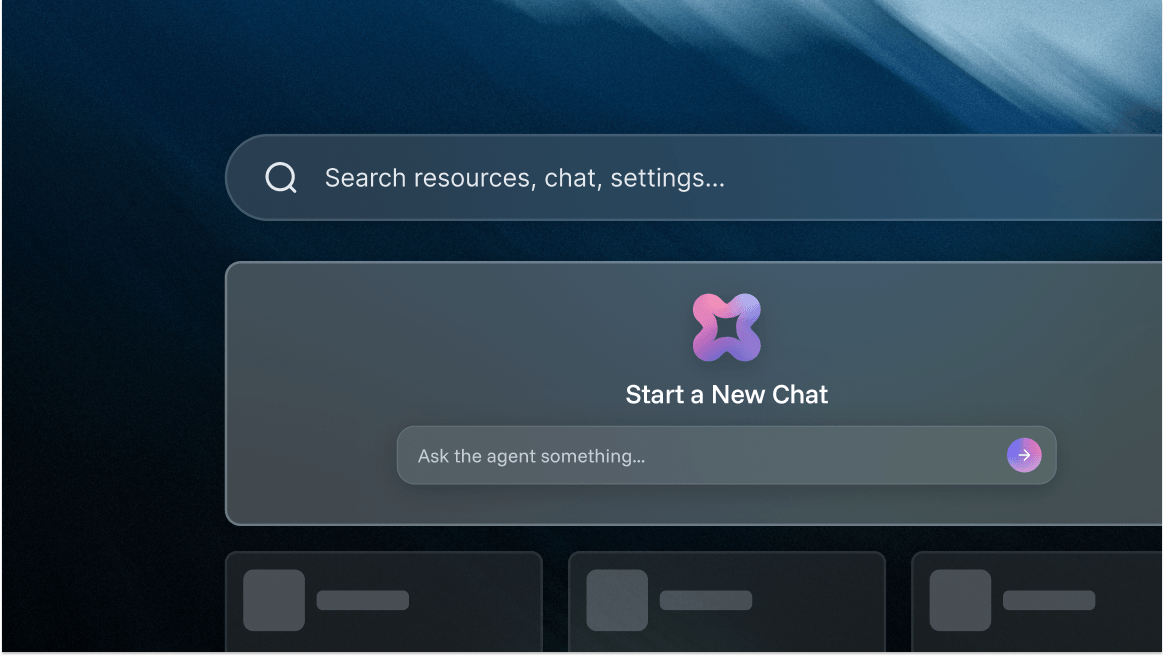
The new console provides a clearer entry point into StreamNative Cloud. From the home page, users can review key metrics across their cloud resources, access common management tasks, find resources through global search, launch Rio, and navigate to both existing and newly introduced platform capabilities.
The result is an experience that supports the full operating lifecycle—from creating an instance or cluster to monitoring performance, managing integrations, moving data, and querying streaming data.
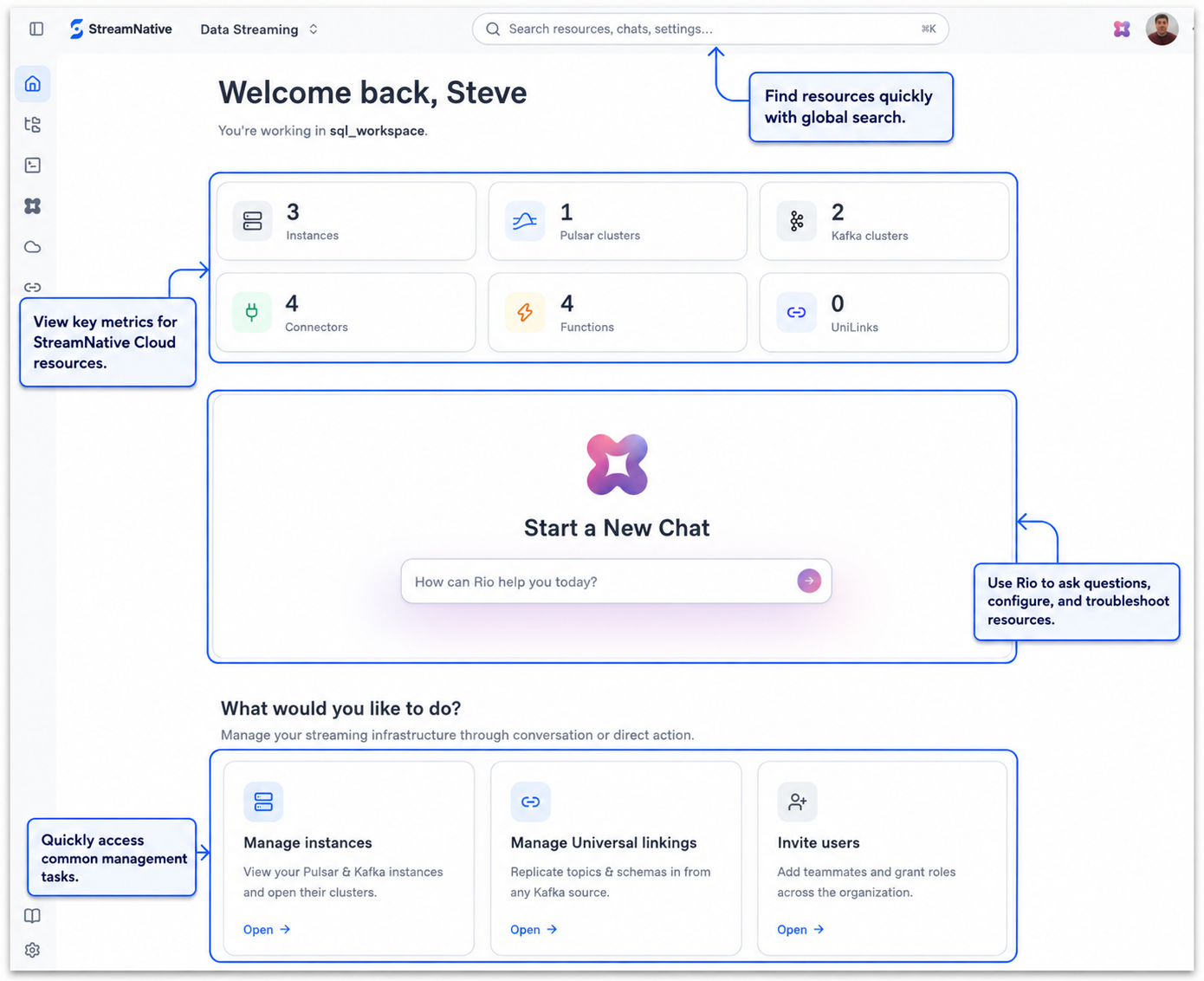
Find resources and move through the platform faster
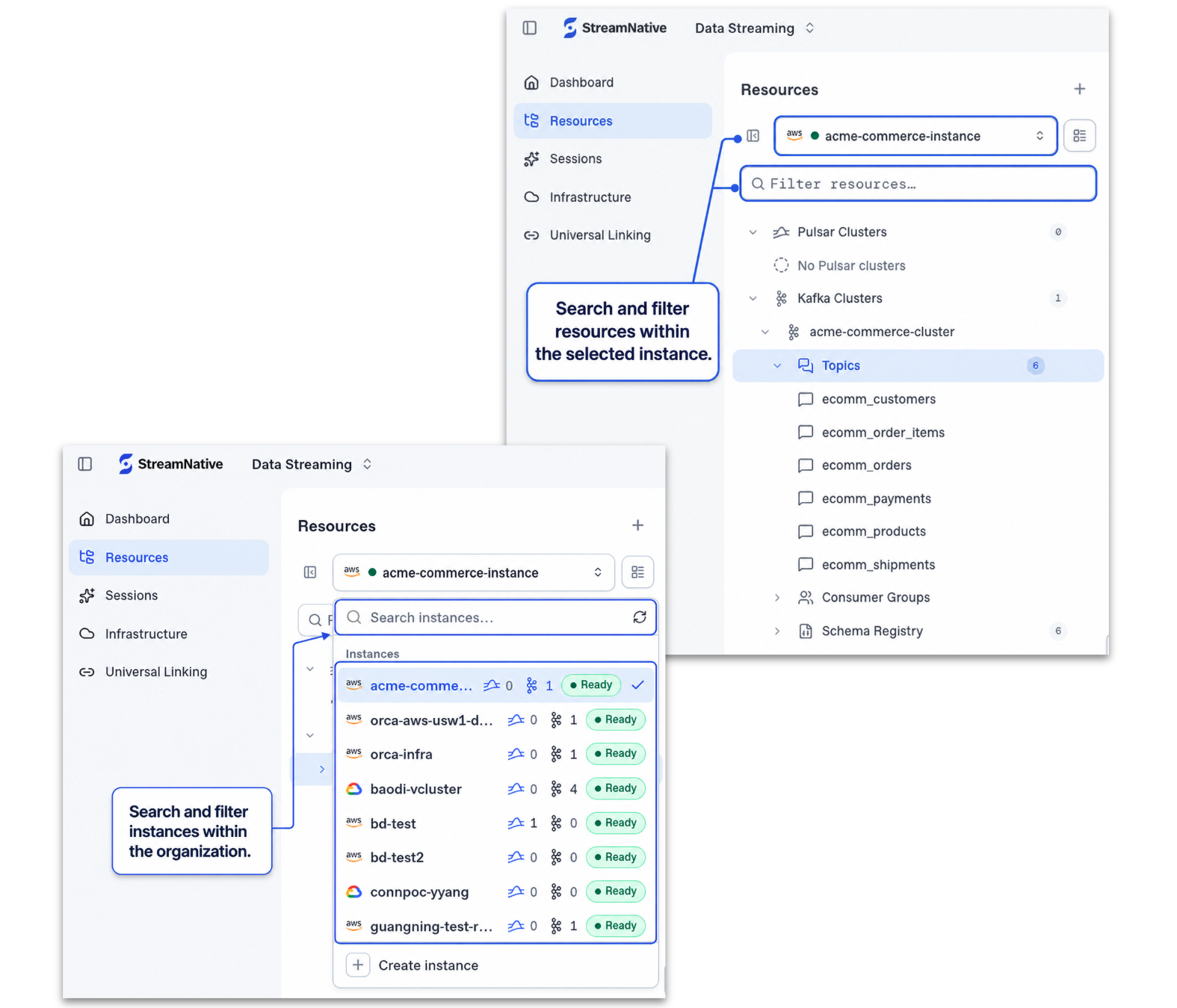
The navigation has been reorganized to make resources easier to discover at both the organization and instance levels. Users can search and filter instances across an organization, then narrow their view to resources within a selected instance. This reduces the need to move through multiple screens simply to locate an environment or understand its current state.
The organization-level Instances view provides a consolidated place to create instances, search and filter the existing inventory, monitor deployment and cluster status, and take actions on individual instances. Global search complements this experience by helping users quickly locate resources from elsewhere in the console.
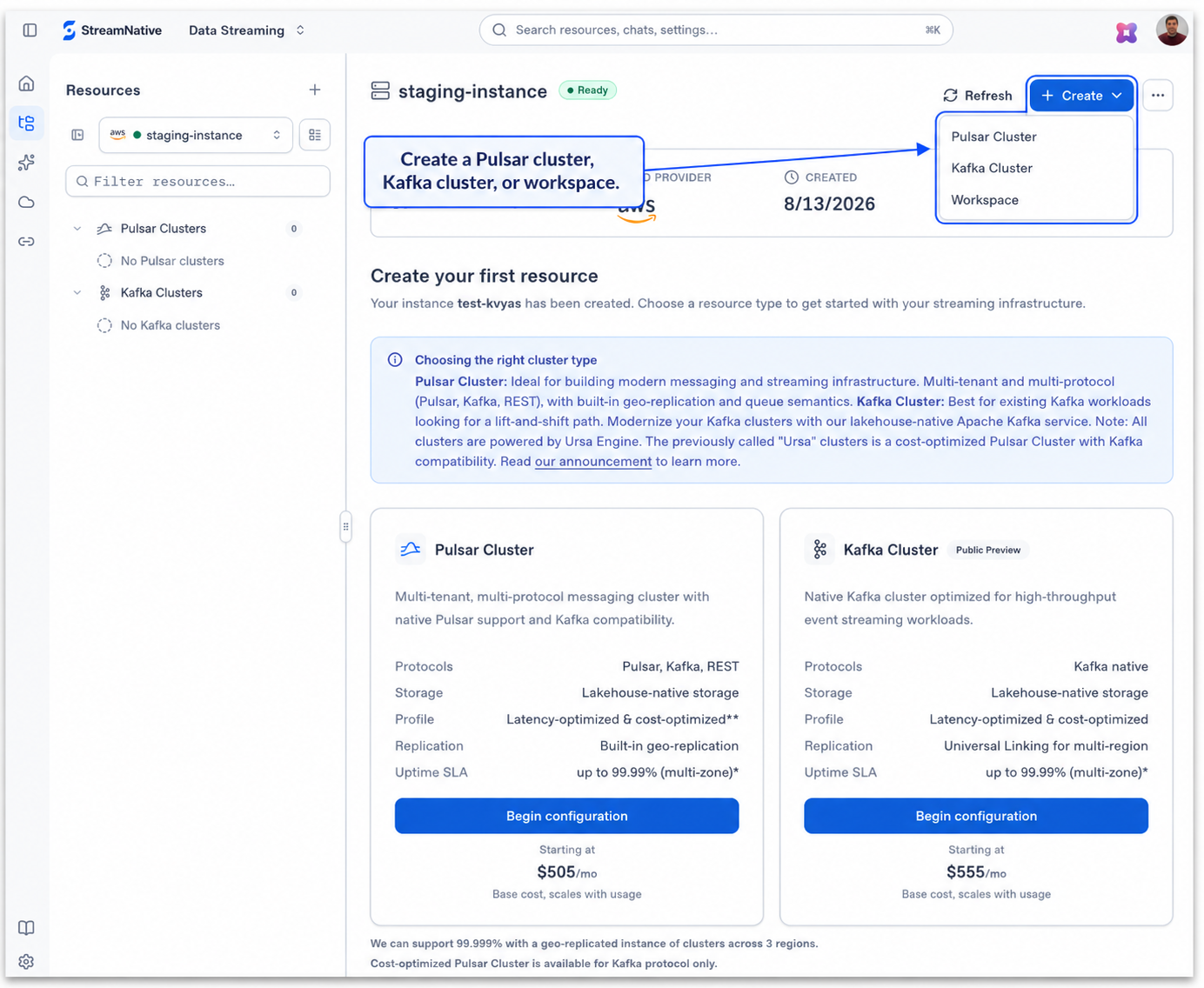
Create the right resources from a single starting point
Within an instance, the console provides a guided starting point for creating Pulsar clusters, Kafka clusters, and SQL Workspaces. Users can compare available cluster capabilities and pricing, choose the option that fits their workload, and begin configuration directly from the console.
Bringing these choices together makes it easier to understand which resource to create while keeping the path from evaluation to deployment short.
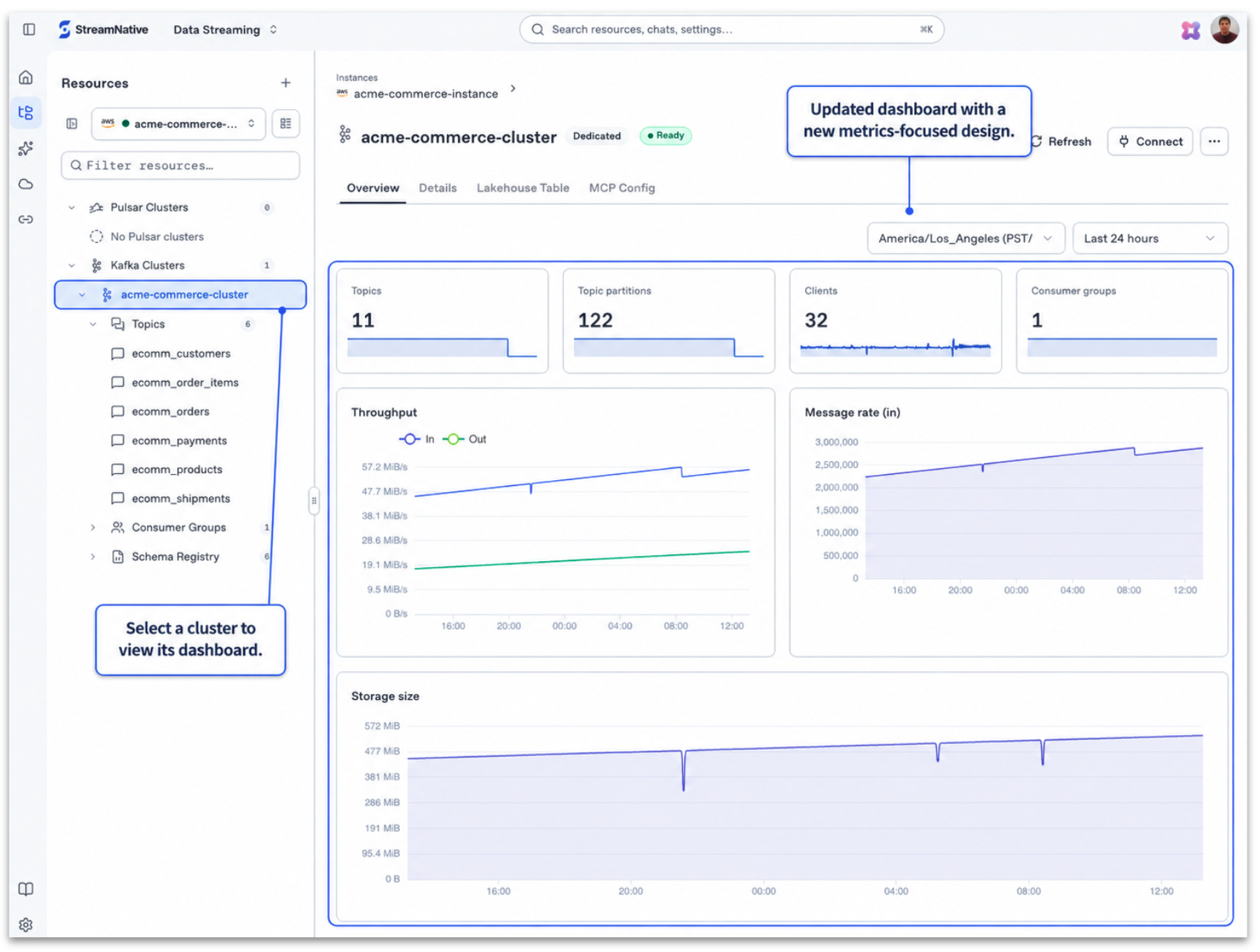
Understand cluster health at a glance
Cluster dashboards have also been redesigned to make operational signals easier to interpret. After selecting a cluster, users can review key metrics and analyze throughput, message rates, and storage trends without leaving the cluster context. This gives platform teams a faster way to understand workload behavior and identify changes that may require attention.
Manage connections, catalogs, and migration workflows
The redesigned console extends beyond cluster operations. Dedicated views help users manage the resources that connect streaming data with cloud services, lakehouse platforms, and existing Kafka environments.
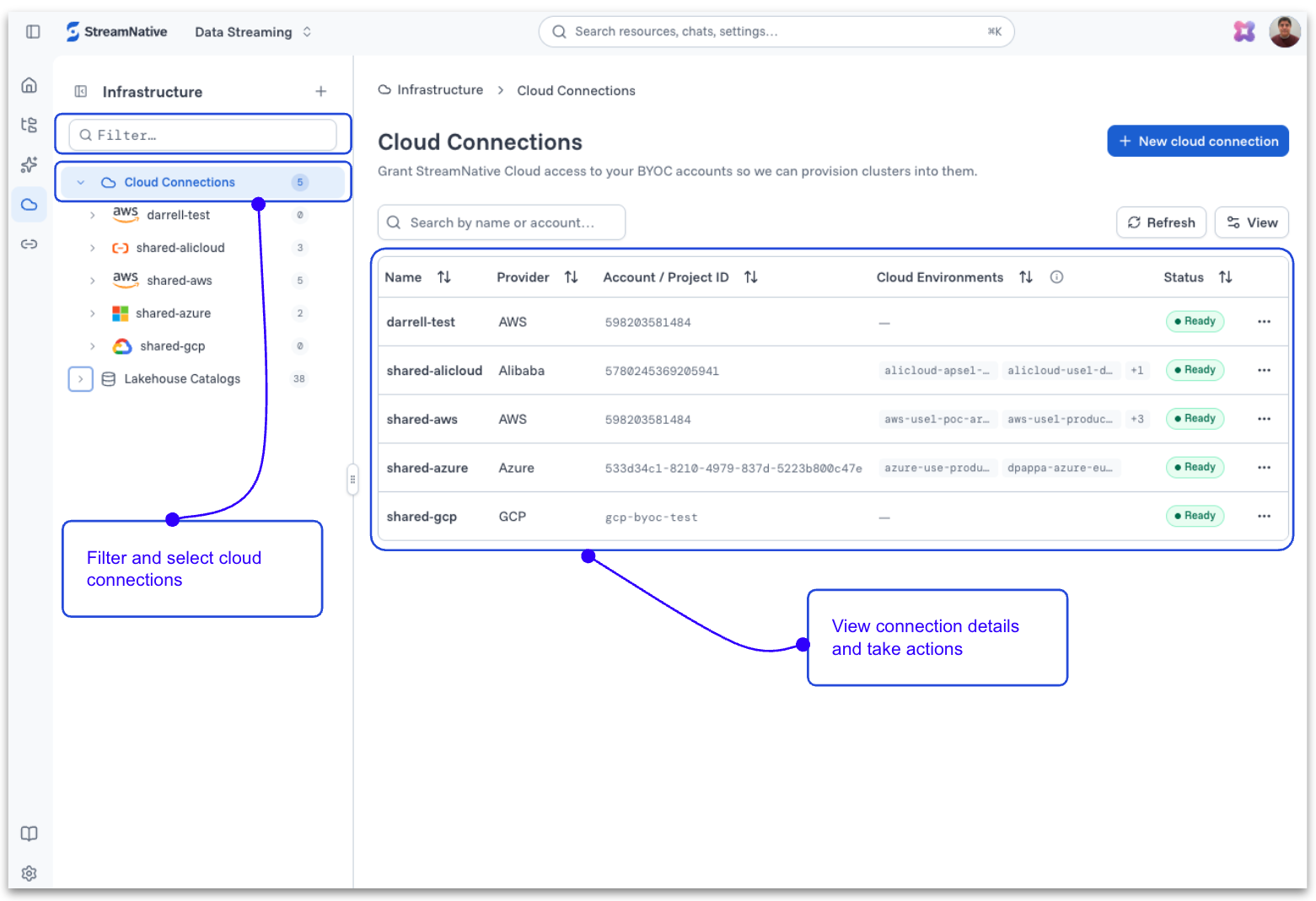
- Cloud connections: Filter and select cloud connections, inspect connection details, and take resource-level actions.
- Lakehouse catalogs: View registered catalogs, identify the catalog type and table format, monitor status, and manage individual catalog resources.
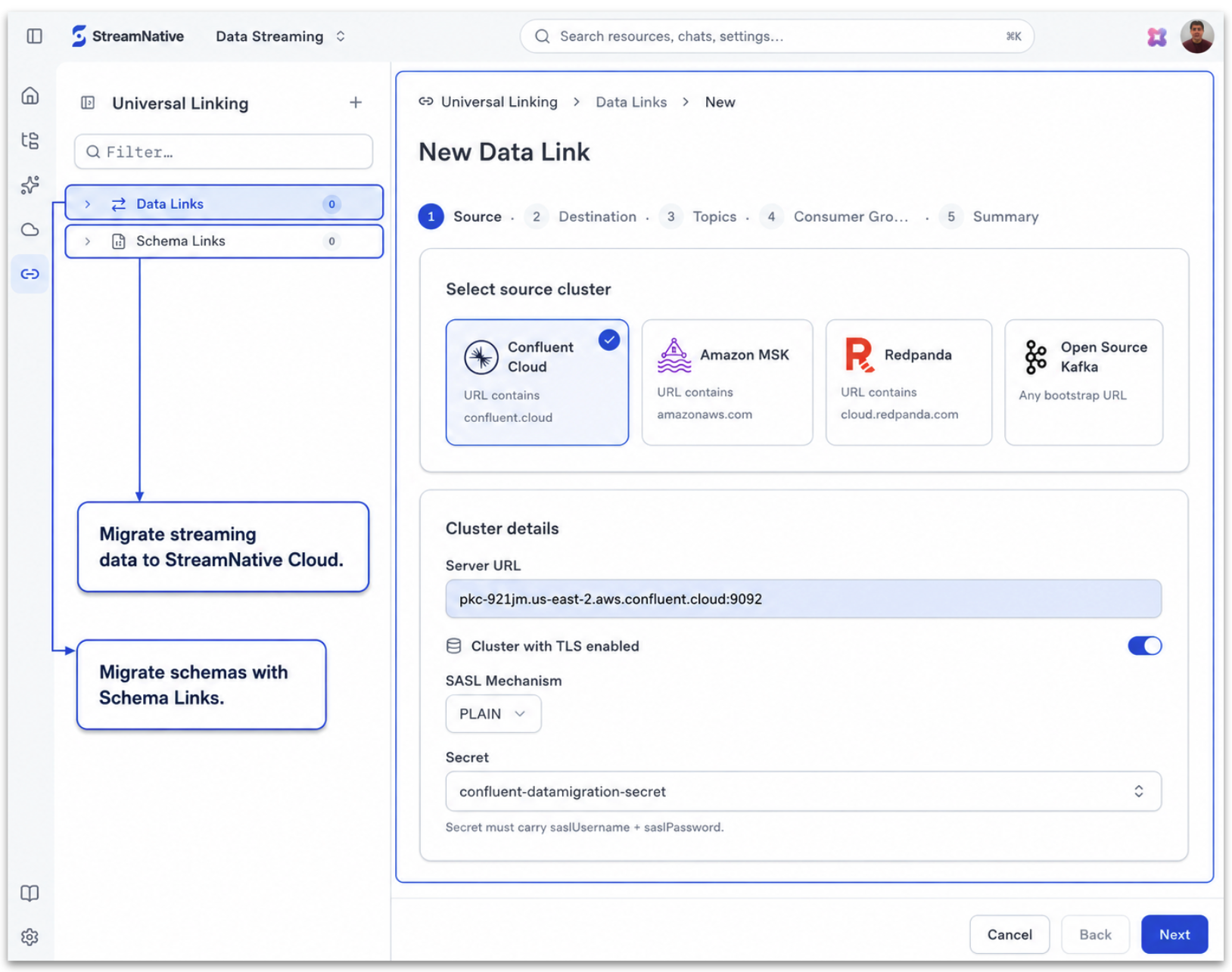
- Data migration: Use Data Links to migrate streaming data, Schema Links to migrate schemas, and a guided workflow to connect Kafka source environments.
Manage Cloud Connections
Cloud Connections management has an updated look aligned with the overall console refresh, making it easy to filter and select connections, view their details, and take actions—all from one place.
Lakehouse Catalogs
Lakehouse Catalogs have an updated look aligned with the overall console refresh, making it easy to select catalogs, view their types and formats, monitor status, and take relevant actions.
Data Migration Workflow
The Data and Schema Migration tool UI has a fresh new look, with guided workflows to connect Kafka sources and migrate streaming data and schemas using Data Links and Schema Links.
Explore streaming data with SQL Workspace
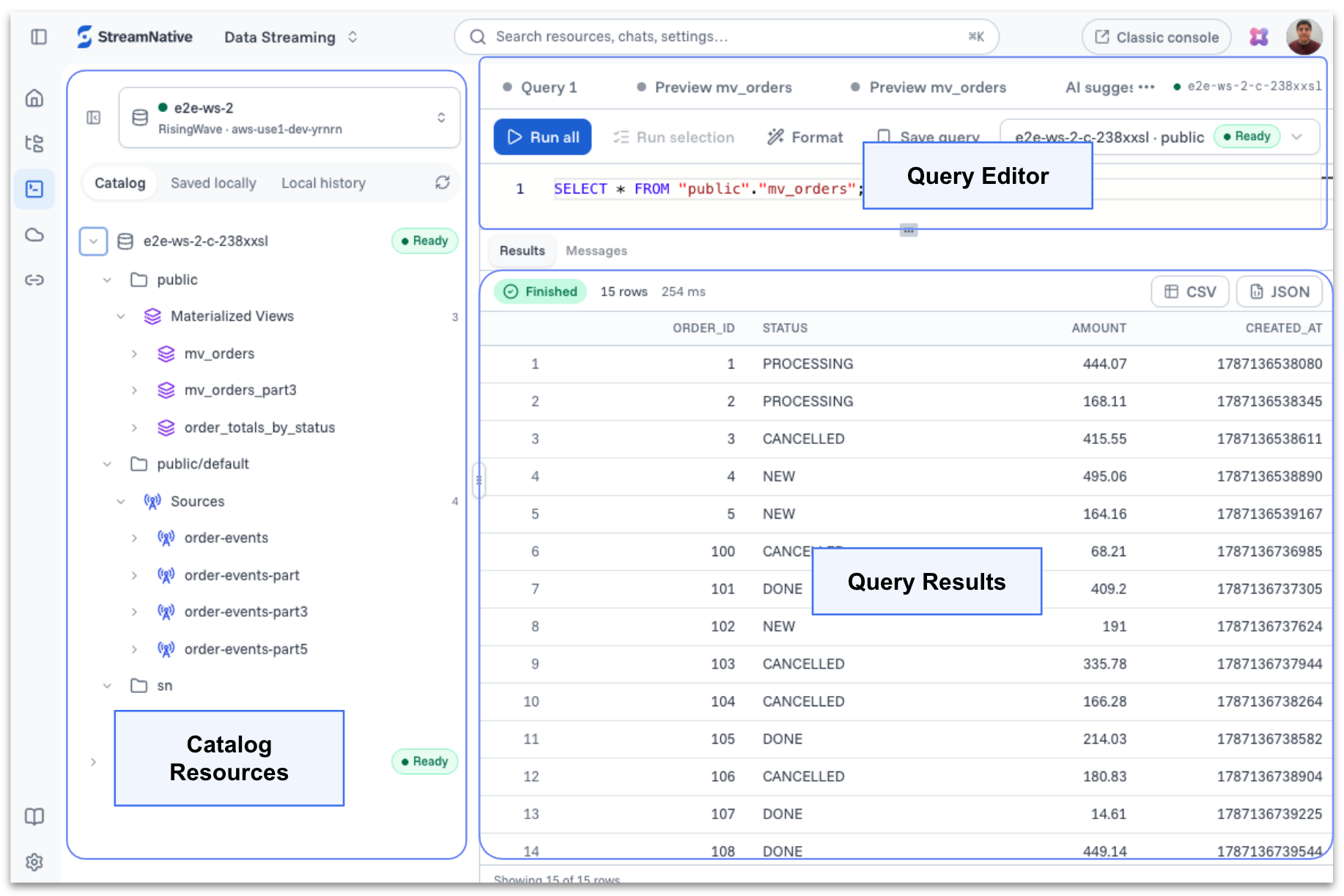
SQL Workspace introduces a familiar SQL experience directly within StreamNative Cloud. Users can explore Kafka and Pulsar topics as SQL sources, browse catalog resources, and query sources, tables, and materialized views from a browser-based query editor. Query results are displayed in the workspace, allowing users to inspect continuously changing streaming data without first moving it into a separate analytical system.
The workspace is designed for more than interactive use in the console. The same environment can be accessed by users, AI agents, and applications through PostgreSQL-compatible clients, creating a common SQL interface for real-time data.
Want a deeper look? Read the dedicated Introducing SQL Workspace in StreamNative Cloud for architecture, examples, and a complete walkthrough.
Availability note: SQL Workspace is available in Private Preview. To request access, contact the StreamNative team.
2. Meet Rio: the AI digital assistant built into StreamNative Cloud
A redesigned console makes StreamNative Cloud easier to navigate. Rio takes that experience a step further by giving users a conversational way to explore, understand, and manage their cloud environment.
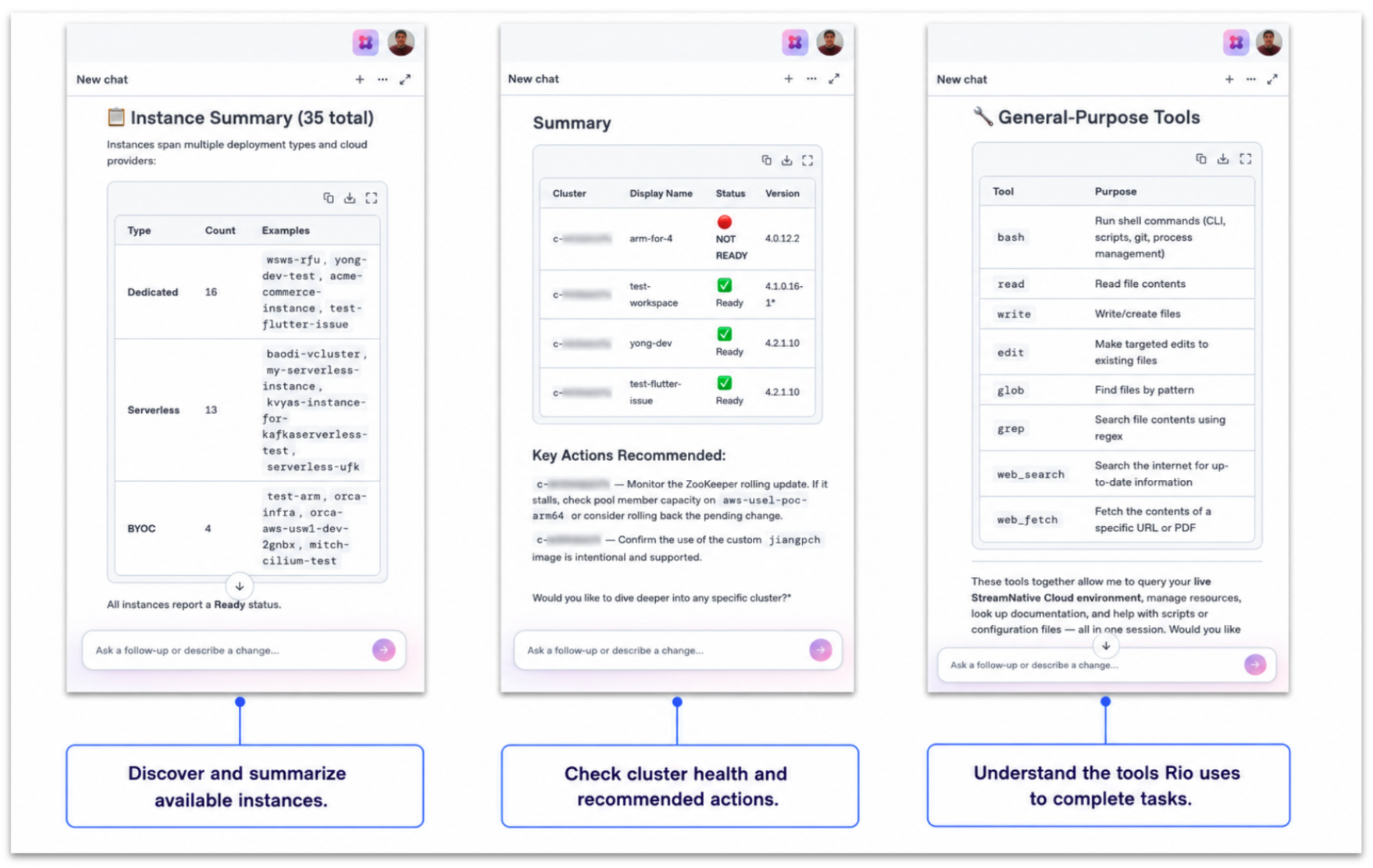
Rio is the AI mode within StreamNative Cloud: a built-in, ready-to-use digital assistant available through a chat-style interface. Because Rio is integrated directly into the console, users can begin interacting with it without configuring an external Model Context Protocol (MCP)-compatible client or creating a separate MCP setup.
Launch Rio where you work
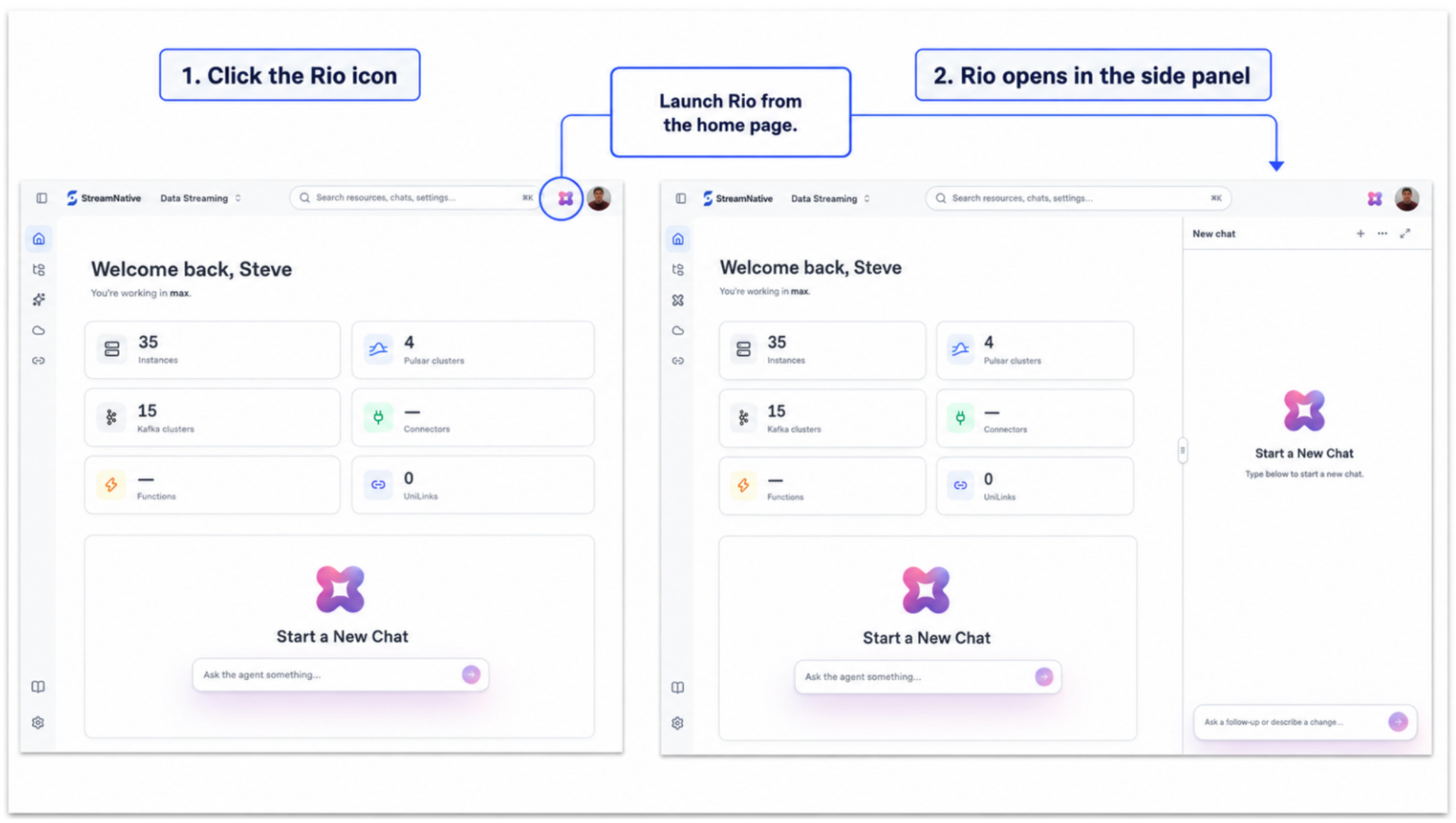
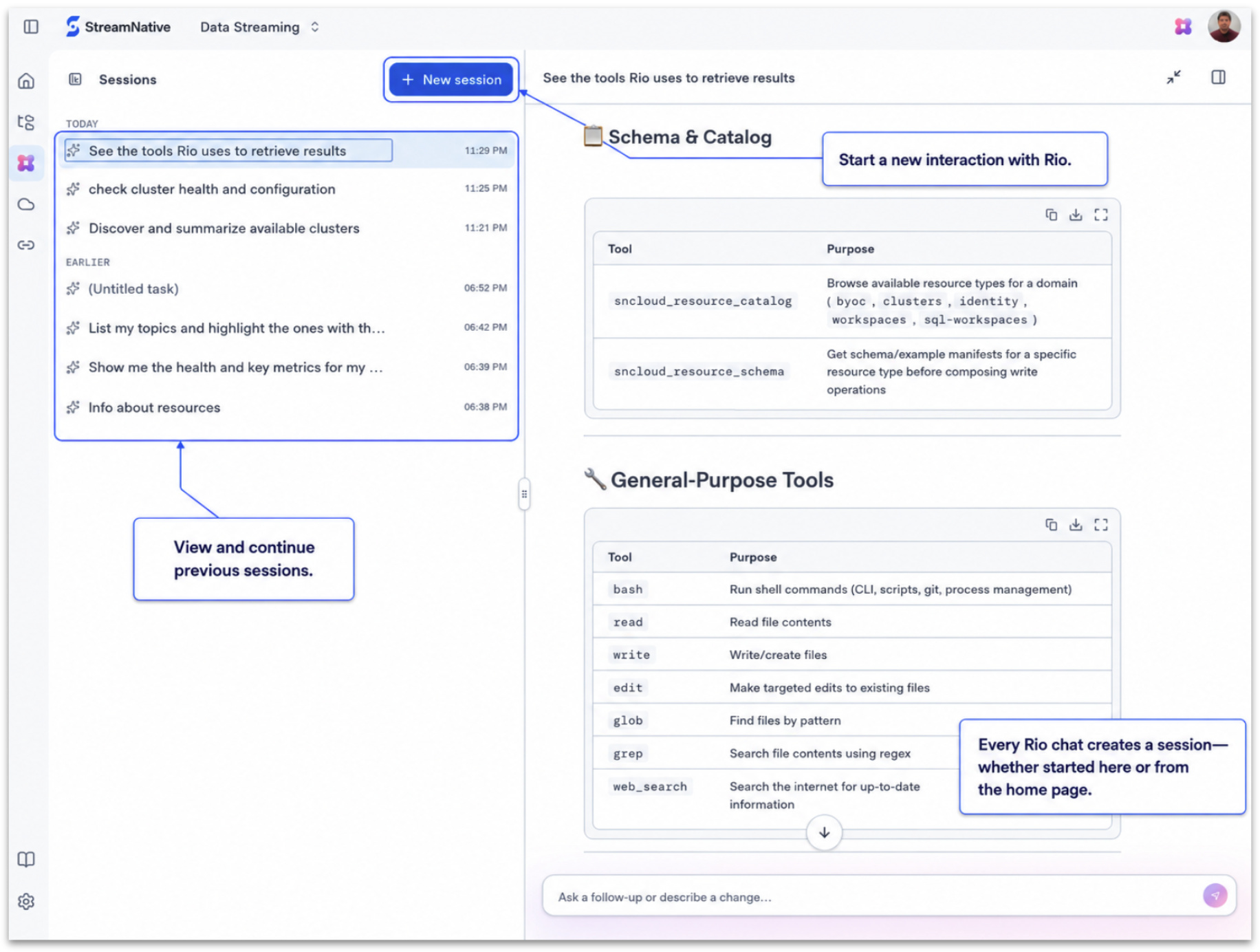
Rio can be launched directly from the StreamNative Cloud home page and opened in a convenient side panel. Users can also navigate to the Sessions page and start a new interaction there. Both entry points connect to the same Rio experience, so users can choose whichever path best fits how they are working in the console.
Ask questions in the context of your cloud environment
Rio provides a conversational interface for learning about StreamNative Cloud and working with cloud resources. Instead of manually visiting several resource pages to assemble context, users can ask questions and use Rio to explore cluster health, configuration, and resource inventory.
For example, Rio can help users:
- Discover which resources exist in an organization or instance.
- Review cluster health and operational information.
- Understand resource configuration and relationships.
- Learn how StreamNative Cloud capabilities work.
- Investigate management and troubleshooting questions through a natural-language conversation.
This experience is especially useful for users who are new to the platform, as well as experienced operators who want a faster way to retrieve information and move from a question to the relevant resource or action.
Continue conversations across sessions
Rio organizes conversations as sessions. From the Sessions page, users can start a new interaction, review previous sessions, and continue an earlier conversation. Sessions created from the home-page Rio panel and the Sessions page are part of the same experience, giving users continuity regardless of where the conversation began.
A more intuitive way to operate real-time data
The new StreamNative Cloud experience brings together clearer navigation, consolidated resource management, richer operational visibility, and AI-assisted interaction. Users can move from organization-level inventory to a specific cluster, connection, catalog, migration workflow, or SQL query with fewer steps—and they can turn to Rio when a conversational interface is the fastest path forward.
Together, the redesigned console and Rio make StreamNative Cloud more approachable for new users and more efficient for teams operating production streaming environments. They also establish a foundation for a cloud experience in which people, applications, and agents can work with the same real-time data and platform resources.
Get started with StreamNative Cloud
To see the new console and Rio in action, watch our live demo.
Ready to explore the new experience? Start a free StreamNative Cloud trial and use the redesigned console to create, discover, and manage your streaming resources.
SQL Workspace is currently in Private Preview. Contact the StreamNative team if you would like to request access or learn more.