
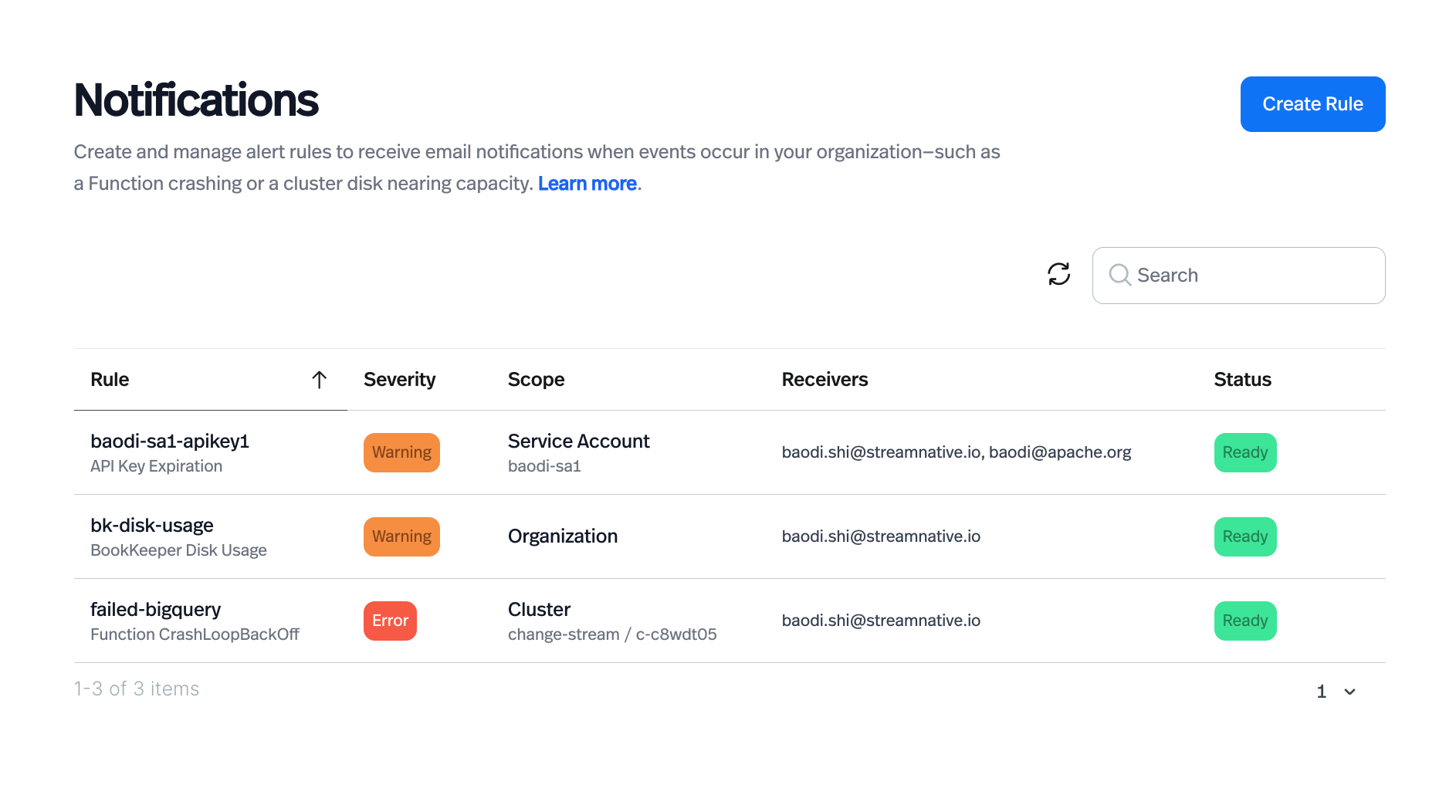
Earlier this year, we launched StreamNative Cloud Notifications with a simple on/off model for Functions alerting. Today, we're taking a major step forward: fine-grained alert rule management. You can now create, configure, and manage individual alert rules with precise control over scope, targets, and recipients---all from the StreamNative Cloud Console.
Overview
The original notifications feature lets you enable or disable a rule for your entire organization. That was a good start, but we heard from teams who needed more: alert different people for different clusters, watch a specific function without noisy org-wide rules, or configure separate rules for production versus staging environments.
With this release, notifications are no longer just a global switch. Each alert rule is now a first-class object you create, name, and configure independently.
When creating a rule, you choose how broadly it applies:
- Organization --- monitors all matching resources across your entire org
- Instance --- scoped to a specific Pulsar instance
- Cluster --- scoped to a specific cluster within an instance
- Tenant / Namespace / Function --- drill all the way down to an individual function
This means your on-call team gets only the alerts relevant to their service, not everything happening across the organization.
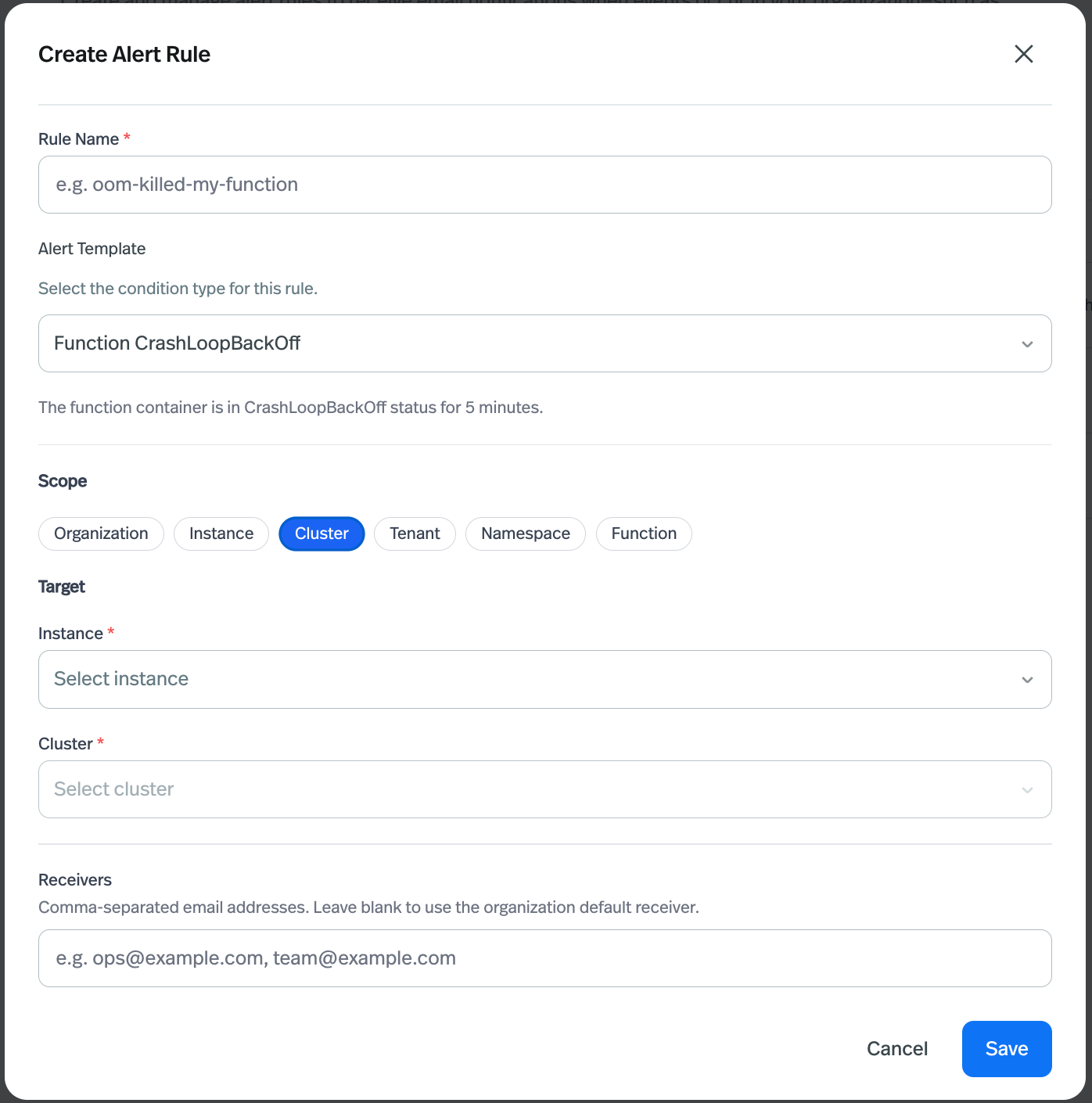
Each rule now has its own Receivers field. You can specify one or more email addresses (comma-separated) to receive notifications for that specific rule. Different rules can notify different people---no more routing everything to a single inbox.
Alert Templates
Alongside the expanded control model, we're also adding a new alert template: API Key Expiration. This rule fires when an API key is within 7 days of expiring, and can be filtered by service account so you only get notified for the keys you care about.
Available Alert Templates
| Template | Service | Condition | Severity |
|---|---|---|---|
| Function OOMKilled | Functions / Connectors | A container has been OOMKilled 2 or more times in the last 15 minutes. | error |
| Function CrashLoopBackOff | Functions / Connectors | A pod has been in CrashLoopBackOff status for 5 minutes. | error |
| API Key Expiration | API Key | An API key is about to expire within 7 days. Filterable by service account. | warning |
| BookKeeper Disk Usage | BookKeeper | Cluster disk is projected to be full within 2 days. | warning |
Get Started
Sign up for a trial and get started for free. Leverage the resources to learn more about StreamNative Cloud. Visit your StreamNative Cloud Console and view and learn more about the notifications functionality.
Happy streaming!